
Taxes & compliance

How to generate libros registro

Create issued-invoice, received-invoice, and other mandatory record books for a chosen period.

1 min readUpdated 10.07.2026

Libros registro are structured VAT record books built from your invoices and expenses. See how to use tax reports and how to generate a libro registro for related workflows.
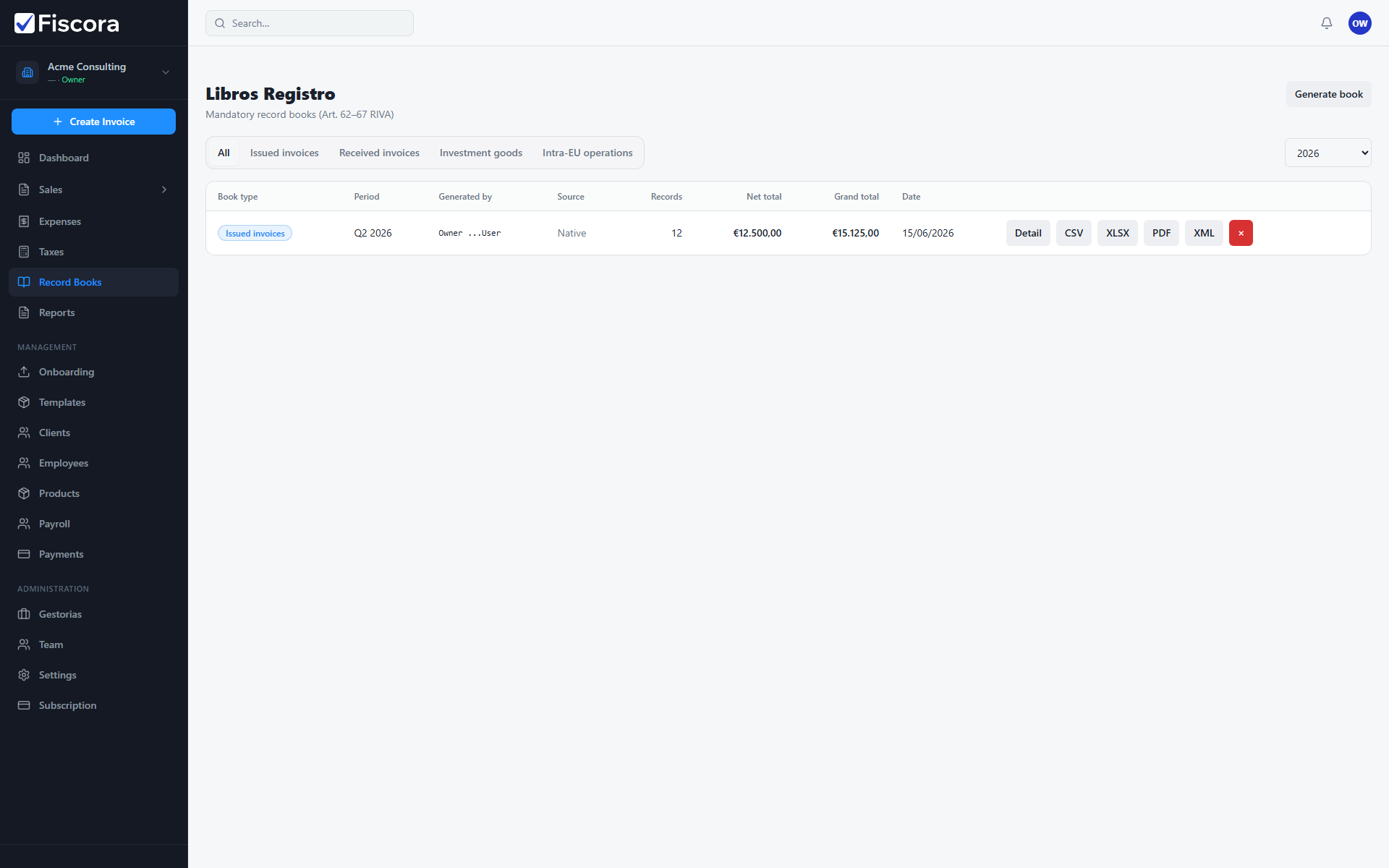
Libros Registro page with Generate book action and existing books listed.

Open record books

  1. Select Record Books in the left navigation.
  2. Filter by book type and fiscal year if you are looking for an earlier period.

Generate a book

  1. Select Generate book.
  2. Choose the book type, period type, and fiscal year.
  3. Pick the month or quarter when the period type requires it.
  4. Confirm generation and wait for the summary to appear in the list.

Review and export

  1. Open a generated book to inspect row counts and VAT totals.
  2. Read warnings when source records need correction before filing.
  3. Export CSV, Excel, PDF, or SII XML when your advisor needs the file.

Was this article helpful?

Still need help?

Share the context and we'll reply with practical guidance from support.

Open request

You may also find these useful

Taxes & compliance

How to use tax reports

Generate Spanish tax models such as 303 and 130, review draft figures, and track filing status.

Read article
Taxes & compliance

How to review Model 303 (quarterly VAT)

Open a generated Model 303 report, review casillas, adjust values if needed, and mark it reviewed before filing.

Read article
Taxes & compliance

How to review Model 130 (IRPF advance payment)

Open a generated Model 130 report, validate revenue and payment casillas, and mark it reviewed before filing.

Read article