
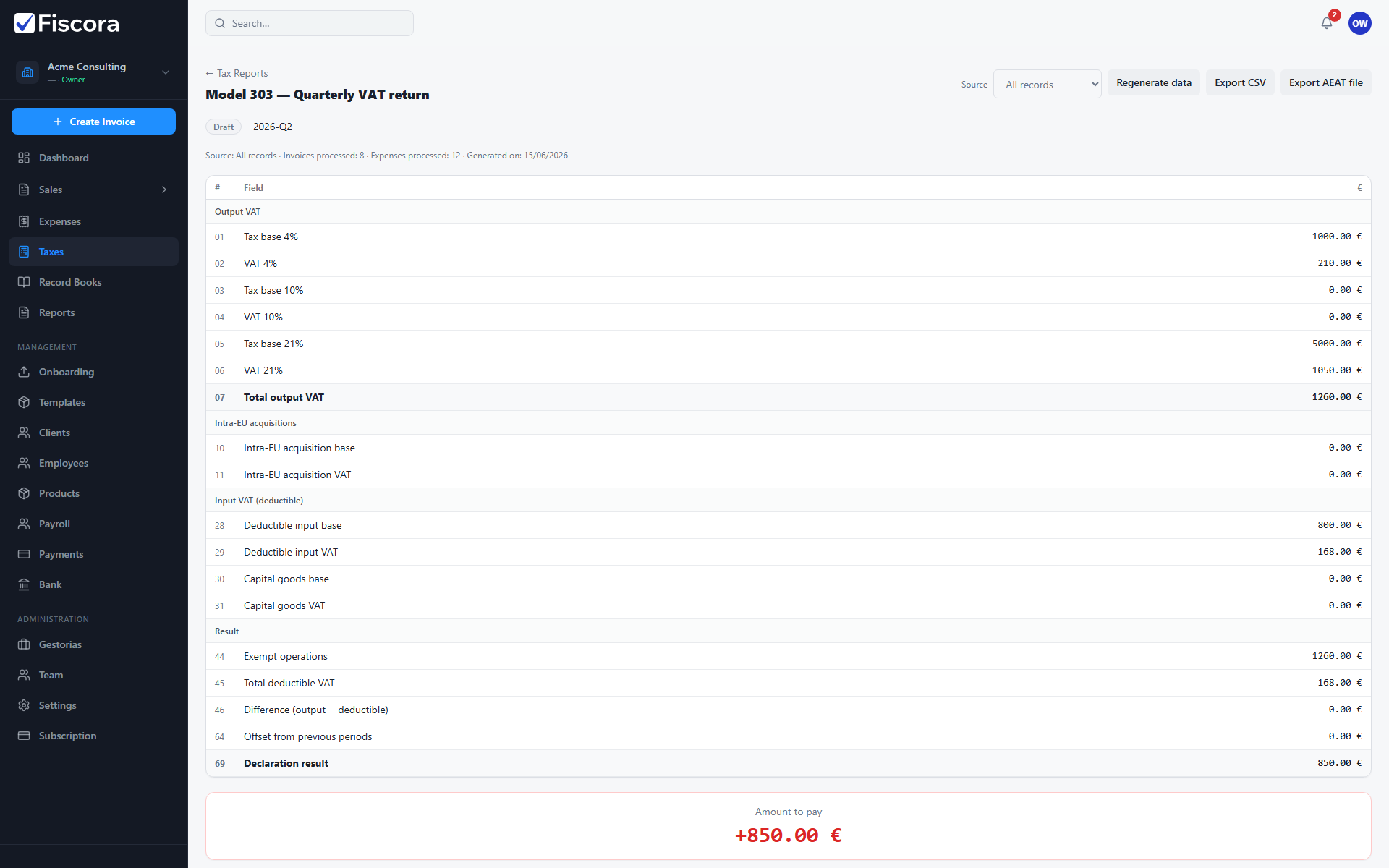
Model 303 summarizes output VAT, input VAT, and the amount to pay or reclaim for a quarter. See how to use tax reports and how to generate a tax report first.
Open the report
- Select Taxes in the left navigation, then open Tax Reports.
- Generate or open an existing Model 303 report for the target quarter.
- Review the status badge, period label, and source snapshot counts.
Review casillas
- Scroll the casillas table and confirm output VAT, intra-EU, input VAT, and result sections.
- Check the highlighted amount to pay or reclaim at the bottom.
- Add adjustments with justification if a casilla needs a manual correction, then save adjustments.
Move to reviewed
- When figures match your records, select Mark as reviewed.
- Export CSV or AEAT BOE format if your advisor needs a copy.
- An administrator can mark the report as filed after submission to AEAT.