
Taxes & compliance

How to review Model 130 (IRPF advance payment)

Open a generated Model 130 report, validate revenue and payment casillas, and mark it reviewed before filing.

1 min readUpdated 10.07.2026

Model 130 estimates IRPF advance payments for self-employed and professional income. See how to use tax reports and how to review Model 303 for related filings.
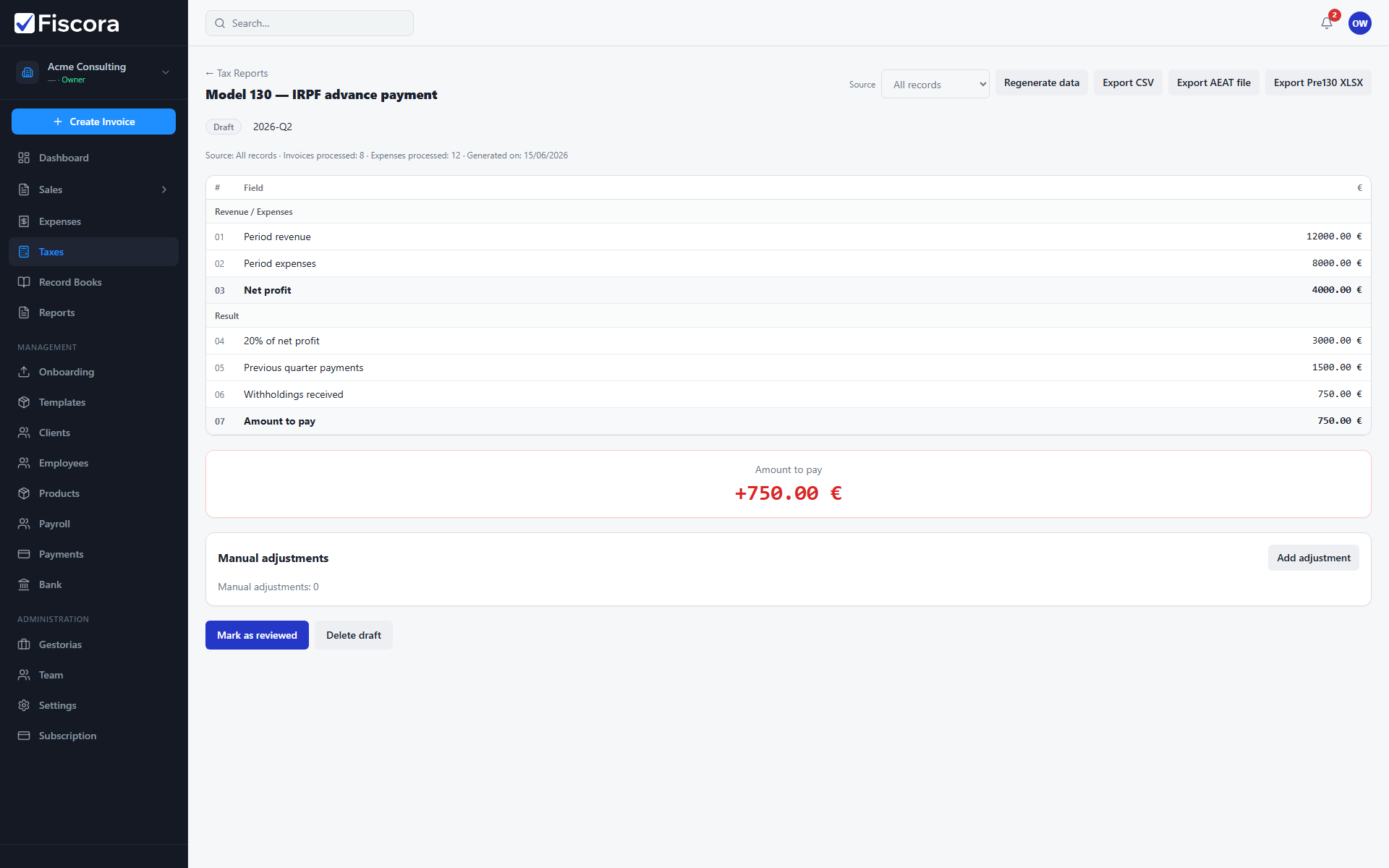
Model 130 report detail with draft status and Mark as reviewed action.

Open the report

  1. Select Taxes and open Tax Reports.
  2. Generate or open a Model 130 report for the target quarter.
  3. Confirm the draft status and period label match the quarter you intend to file.

Review casillas

  1. Check revenue casillas against your issued invoices and collected income.
  2. Review result casillas and the highlighted payment amount.
  3. Add justified adjustments if a casilla requires a manual correction.

Mark reviewed

  1. Select Mark as reviewed when figures match your records.
  2. Export CSV if your advisor needs a working copy.
  3. An administrator can mark the report filed after AEAT submission.

Was this article helpful?

Still need help?

Share the context and we'll reply with practical guidance from support.

Open request

You may also find these useful

Taxes & compliance

How to use tax reports

Generate Spanish tax models such as 303 and 130, review draft figures, and track filing status.

Read article
Taxes & compliance

How to review Model 303 (quarterly VAT)

Open a generated Model 303 report, review casillas, adjust values if needed, and mark it reviewed before filing.

Read article
Taxes & compliance

How to generate libros registro

Create issued-invoice, received-invoice, and other mandatory record books for a chosen period.

Read article