
Client tax details appear on invoices and affect withholding when you bill Spanish customers or public bodies. See how to review client tax ID fields and how to create a client.
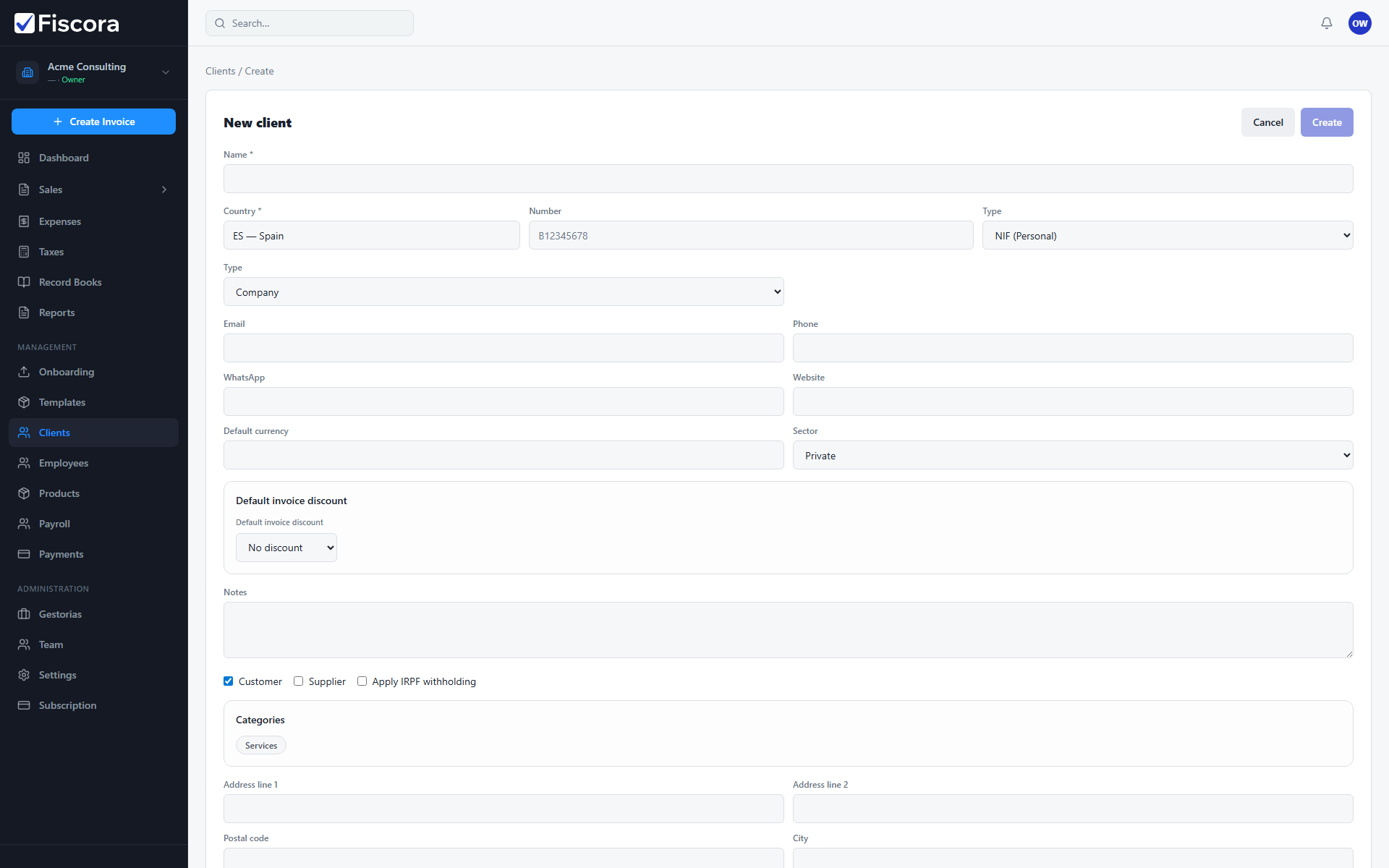
Open the client record
- Select Clients in the left navigation.
- Create a new client or open an existing record to edit.
- Locate the tax ID section near the top of the form.
Enter the tax ID
- Choose the tax ID Country for the customer.
- Enter the tax ID Number such as a Spanish NIF or CIF.
- Select the correct Type when more than one identifier format applies.
- Save the client after Fiscora validates the format for supported countries.
IRPF and public-sector fields
- Enable Apply IRPF withholding when this client should receive invoices with IRPF deducted.
- Set the client sector to government when billing Spanish public administration.
- Fill the three DIR3 codes — accounting office, managing body, and processing unit — required for FACe submissions.
Keep tax data accurate
- Update client tax IDs when a customer changes legal entity or VAT registration.
- Verify tax IDs before issuing the first invoice to a new customer.
- Use consistent tax data so reports and firm access show reliable customer records.