
Clients

How to create a client

Add a new customer record with legal, contact, and billing details before you start invoicing.

1 min readUpdated 10.07.2026

Create a client before issuing an invoice to a new customer. For an overview of the clients area, see how to manage clients. A complete record makes invoicing faster and reduces mistakes in legal and contact data.
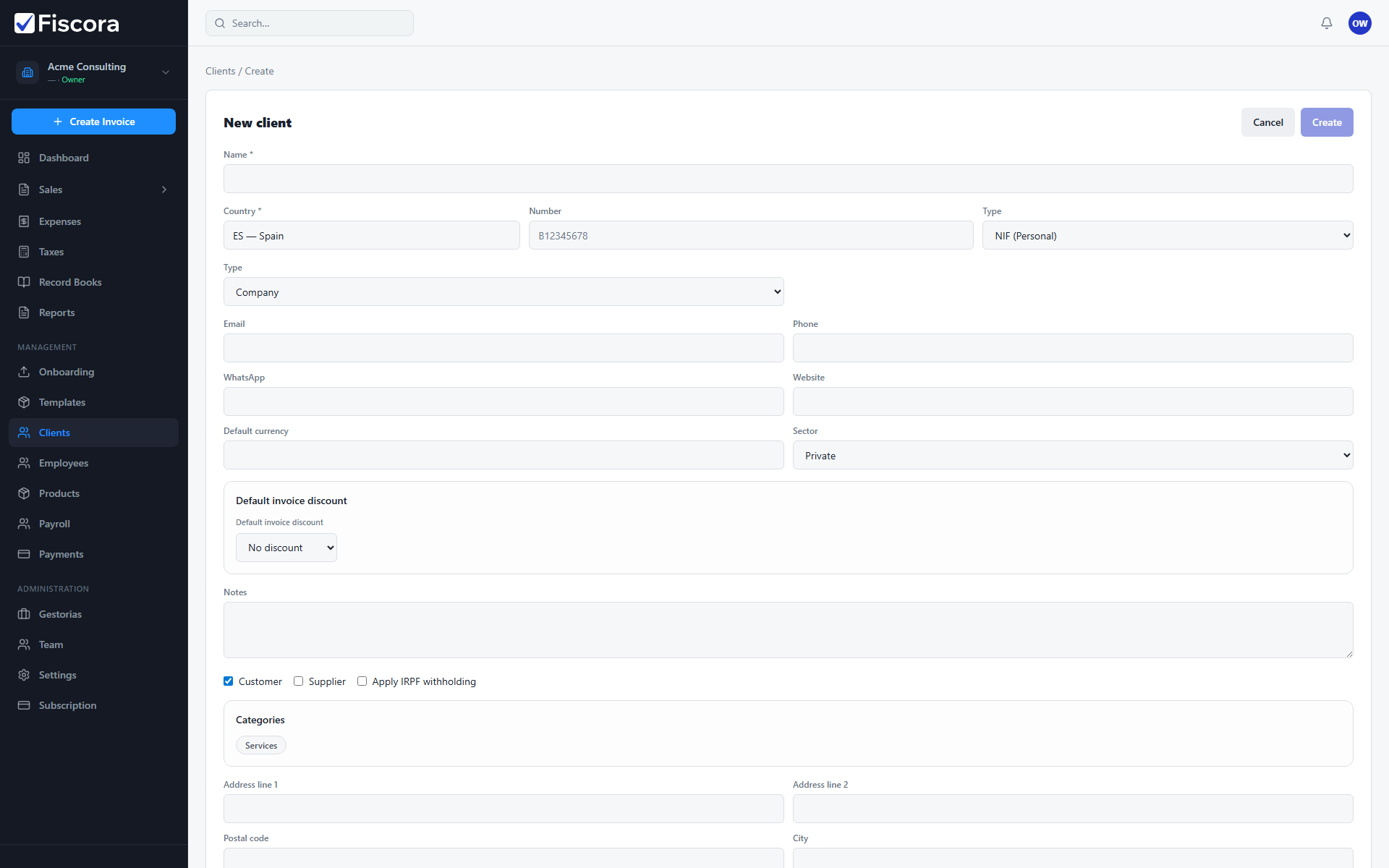
New client form with name, tax ID, and contact fields.

Create a new client

  1. Select Clients in the left navigation.
  2. Select New client.
  3. Enter the client Name and tax details: country, tax ID number, and type.
  4. See how to handle client tax details for guidance on tax fields.
  5. Choose whether the client is a Company or Individual, and add email, phone, and other contact fields.
  6. Add the billing address if you want it to appear on invoices.
  7. Select Create to save the record.

What to check before saving

  1. Confirm the tax ID is correct for the client's country.
  2. Make sure the client has an email address if you plan to send invoices by email.
  3. For government (FACe) clients in Spain, complete the required FACe office fields.

Was this article helpful?

Still need help?

Share the context and we'll reply with practical guidance from support.

Open request

You may also find these useful

Clients

How to manage clients

Use the clients area to review customer records, add new contacts, and keep billing details accurate.

Read article
Clients

How to edit client details

Update a customer record when contact, billing, or tax information changes before your next invoice.

Read article
Clients

How to search and filter clients

Find client records by name or tax ID, switch between customers and suppliers, and filter by category.

Read article