
After an invoice is issued and its PDF is ready, you can send it directly to the client by email from the invoices list.
Before you send
- The invoice must be issued (not a draft) and have a generated PDF.
- The selected client must have an email address on their record — update the client if it is missing.
- If the invoice was already sent successfully, the action changes to Send reminder — see how to send an invoice reminder.
Send the invoice by email
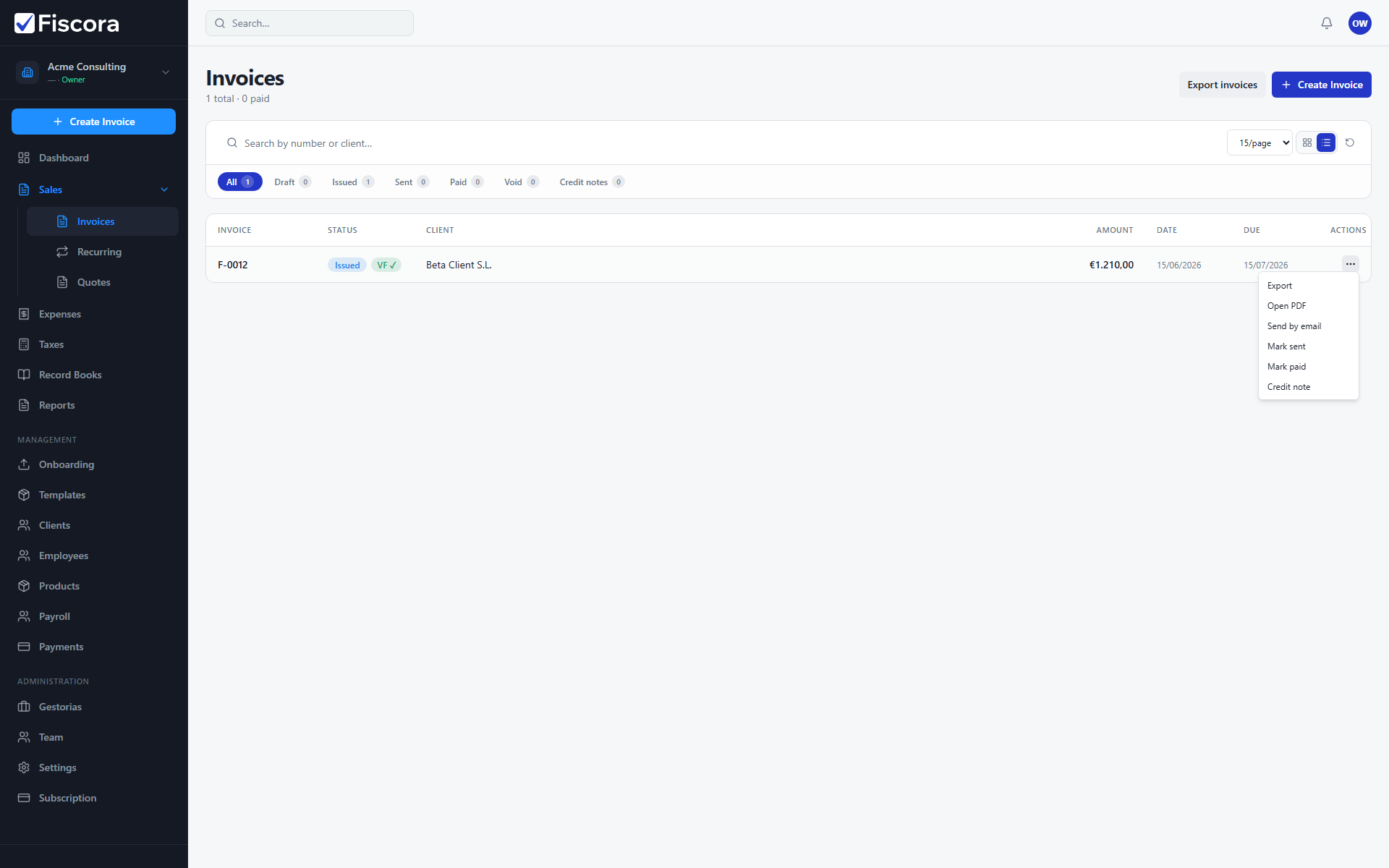
- Open Sales and then Invoices.
- Find the issued invoice you want to send.
- Open the row actions menu (three dots) for that invoice.
- Select Send by email.
- If prompted because the invoice was sent before, confirm that you want to send it again.
After sending
- The invoice status may change to Sent after a successful email.
- Use Send reminder if you need to follow up after the original email was delivered.
- To create the invoice first, see how to create and edit an invoice.