
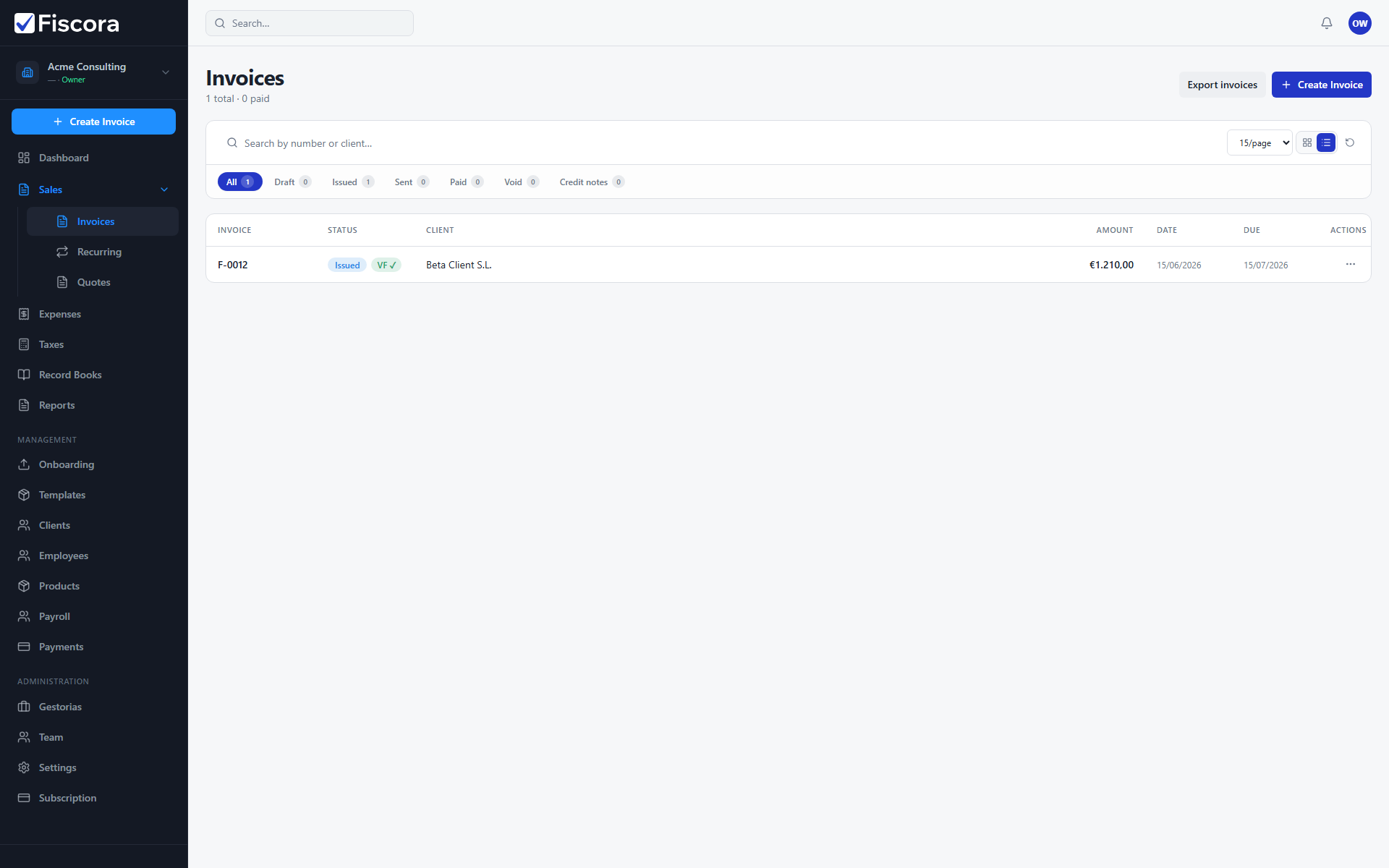
The invoices list is the control center for your outbound billing. It shows all invoices together with their client, amount, date, due date, and current status. See how to create and edit an invoice to start a new document.
Open and filter the list
- In the left menu, open Sales and then select Invoices.
- Use the search field to find an invoice by number or client name.
- Use the status chips to switch between all invoices, drafts, issued invoices, sent invoices, and paid invoices.
- Open an invoice number to review its details or continue working on it.
- Use search and status filters when the list grows long.
When to use the list
- Check drafts before issuing or sending them to clients.
- Review issued invoices to confirm that dates and totals are correct.
- Look at paid invoices when you need proof that a payment was recorded — see how to mark an invoice as paid.