
Sharing with your firm is permission-based. After you connect a gestoria, you choose which modules and actions they can use — you do not send individual files manually. See how to work with your accounting firm to connect first.
Connect your firm first
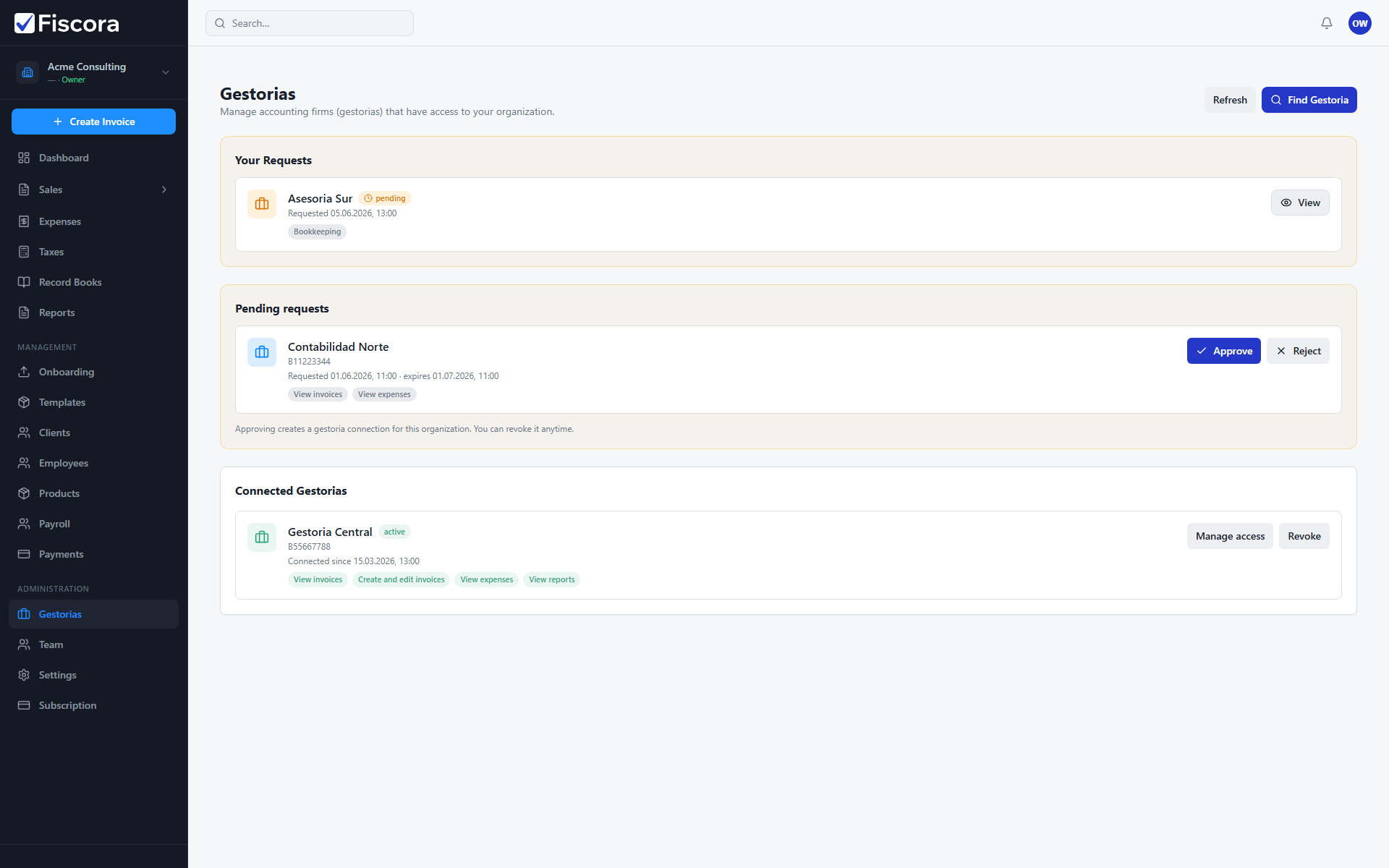
- Select Gestorias in the left navigation.
- Search the directory and request access — see how to find and request a gestoria — or approve an incoming invitation from your firm.
- Wait until the connection is active before adjusting permissions.
Manage what your firm can see
- Open Gestorias and find the connected firm.
- Select Manage access for that connection.
- Enable the modules your firm needs, such as invoices or expenses.
- Save the access settings when the scope matches what you agreed with your accountant.
Keep shared data useful
- Issue invoices and confirm expenses on time so your firm sees up-to-date records.
- Review connected firms periodically and revoke access if you change advisors.
- Keep company legal details current in settings so shared documents stay accurate.