
Connecting with a gestoría involves two directions: you can request access to a firm, or a firm can invite your organization. See how to find and request a gestoria and how to work with your accounting firm.
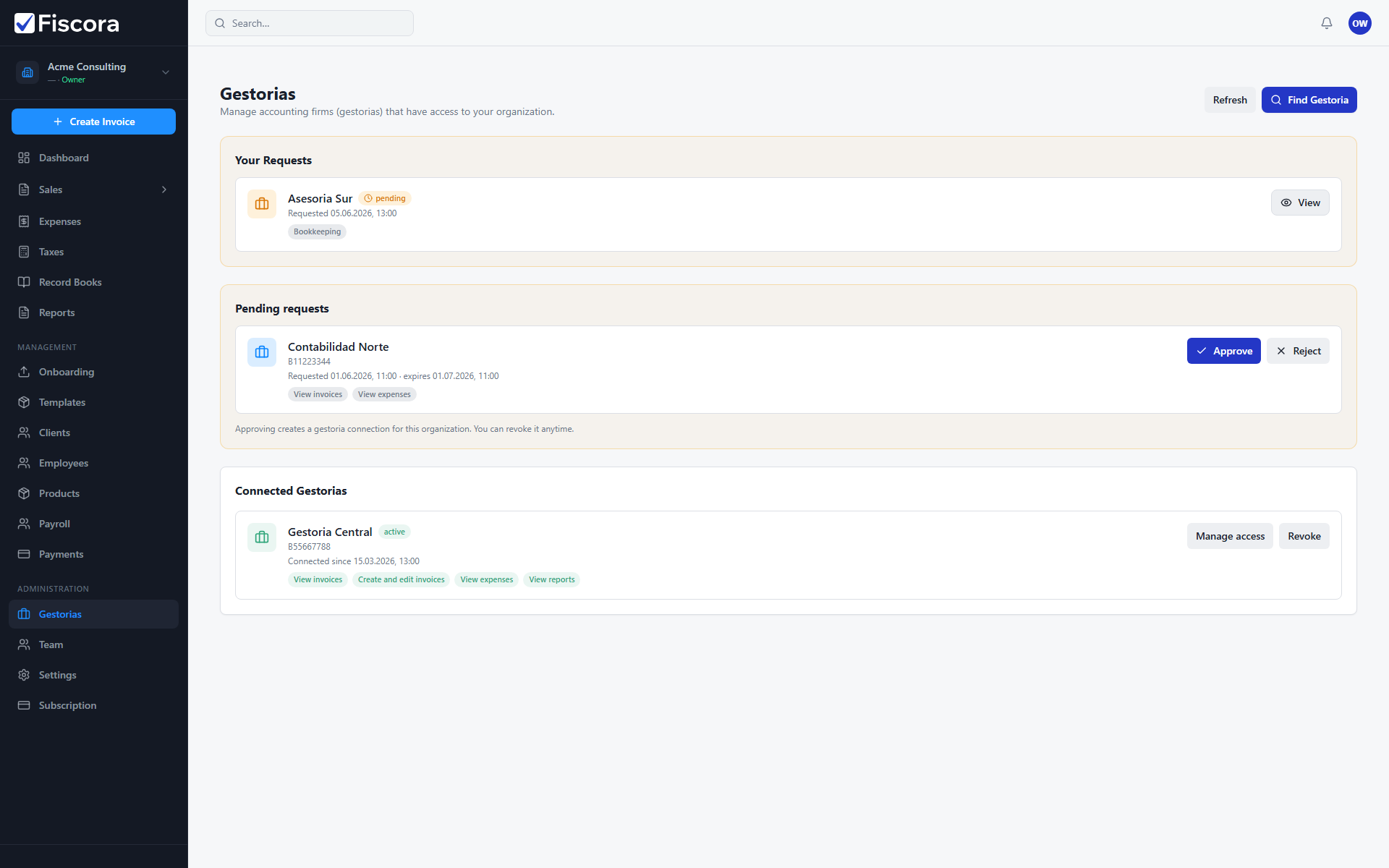
Your outgoing requests
- Open Gestorias in the left navigation.
- Check the Your requests section for firms you asked to connect with.
- Each card shows the request date and current status badge.
- Open a request to review selected services or cancel it if you no longer need that connection.
Incoming invitations to approve
- Review the Pending requests section for invitations sent by a gestoria.
- Read the requested access scopes so you know which modules the firm is asking to use.
- Select Approve to grant the requested access, or Reject to decline.
- Invitations expire after the date shown, so respond before they lapse if you want the connection.
After approval
- Approved firms move to the connected list on the same page.
- Use Manage access to adjust modules later — see how to share documents with your firm.
- Keep invoices and expenses up to date so your gestoria can work from current records.