
Fiscora lets you collaborate with your accounting firm (gestoria) without sharing passwords. You control which areas of your organization they can access. See how to find and request a gestoria to browse the catalog, and how to share documents with your firm once connected.
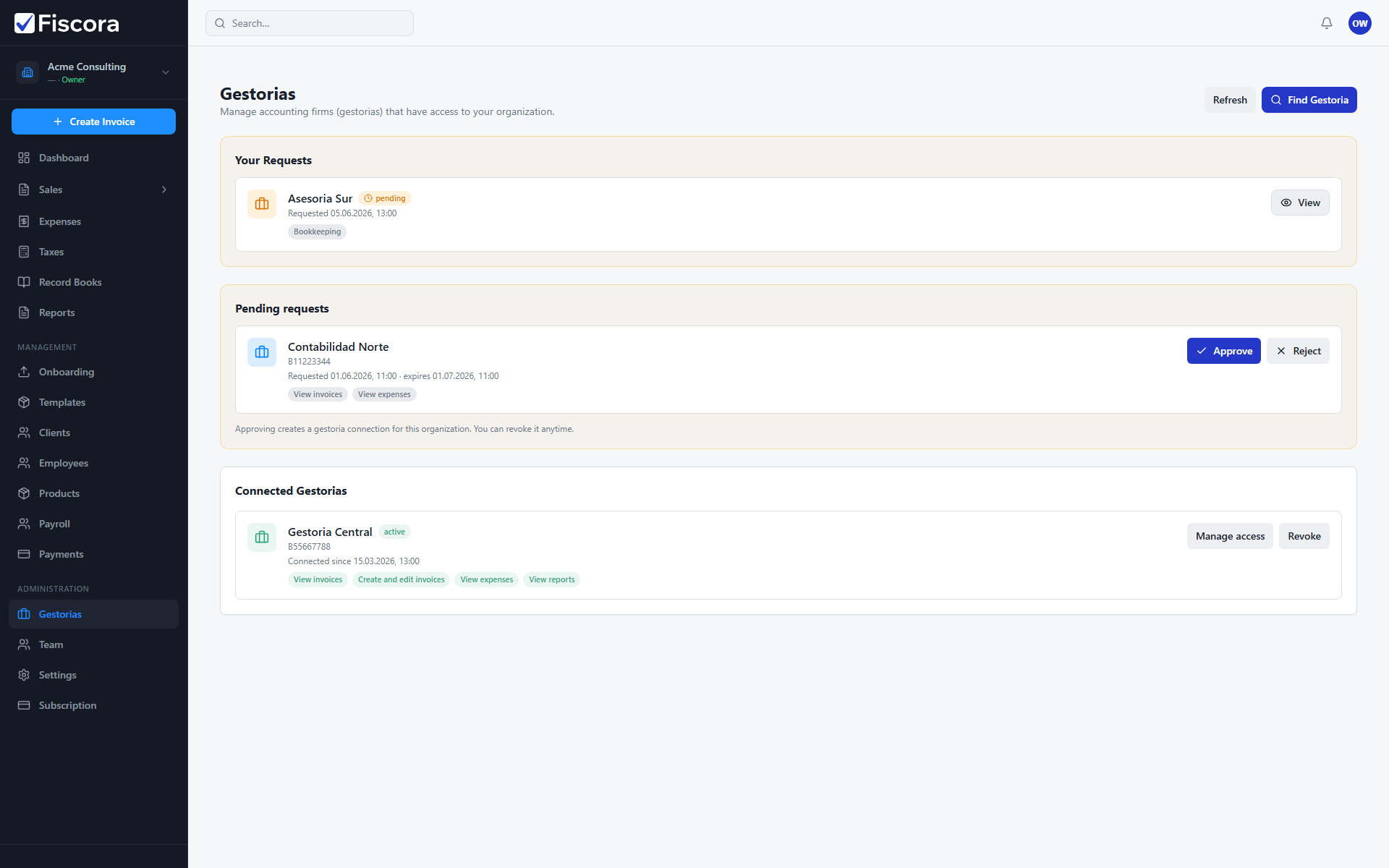
Find and connect a gestoria
- Select Gestorias in the left navigation.
- Select Find gestoria to browse the catalog.
- Open a gestoria profile and select Request access to send a connection request — see how to review a gestoria profile before you connect.
- Wait for the gestoria to approve your request, or approve an incoming invitation from them — see how to understand firm requests and follow-ups.
Manage an existing connection
- Open Gestorias to see pending requests and connected gestorias.
- Approve or reject pending invitations when a gestoria asks to connect.
- Use Manage access to choose which modules and permissions the gestoria can use — see how to share documents with your firm.
- Use Revoke if you need to remove a gestoria's access completely.
Good practices
- Grant only the access your gestoria actually needs for bookkeeping and tax work.
- Review connected gestorias periodically, especially after changing accountants.
- Keep your company legal details and invoice records up to date so shared access stays useful.