
Fiscora separates your personal UI language from organization defaults. You can read the app in English or Spanish while keeping invoice and document settings aligned with your business — see how to update organization settings.
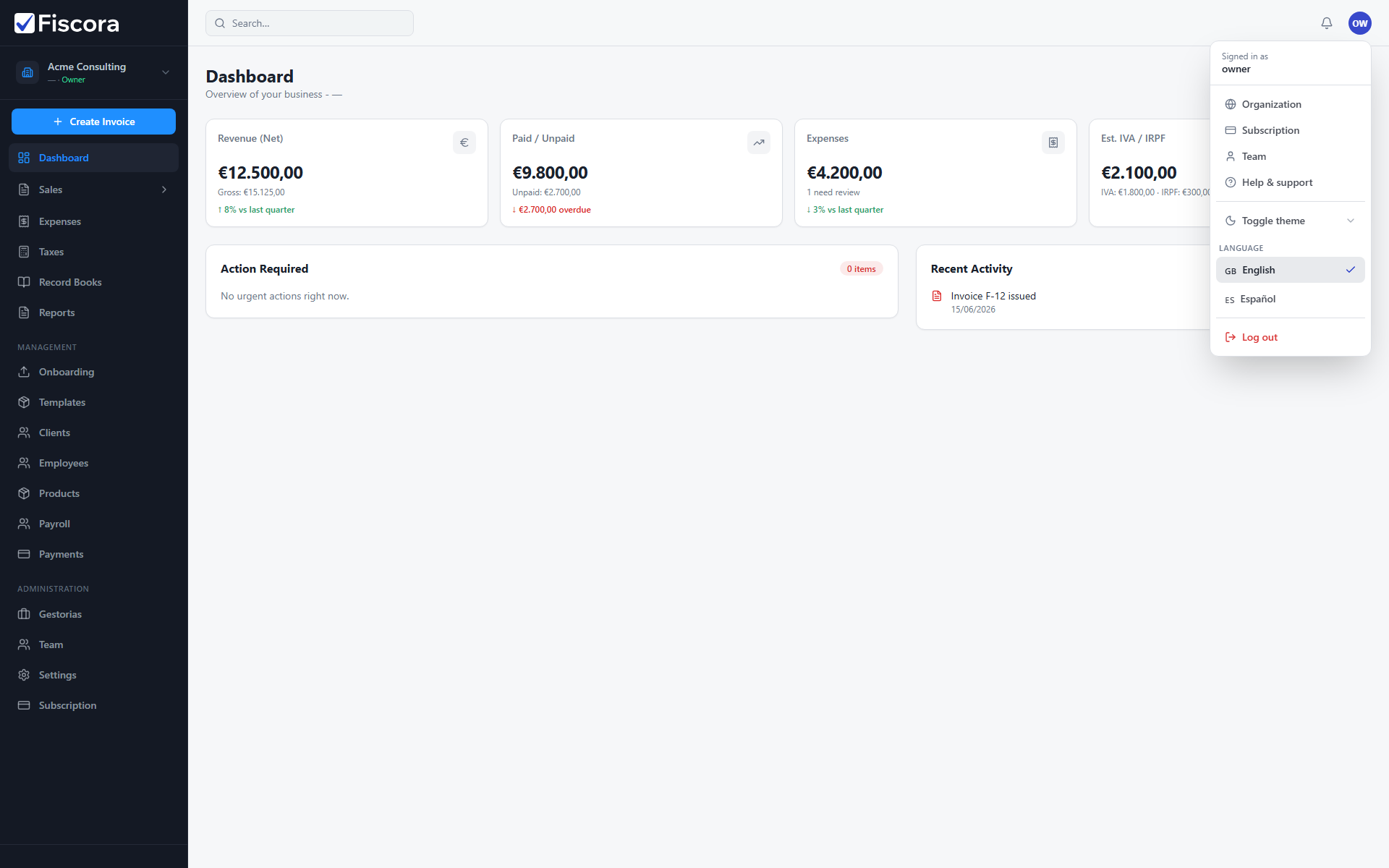
Switch the workspace language
- Select your profile avatar in the top-right corner.
- Open the Language section in the menu.
- Choose English or Español.
- The page reloads with the selected interface language.
Set organization preferences
- Select Settings in the left navigation.
- Open the Preferences section.
- Adjust default currency, number format, timezone, language, and date format for the organization.
- Select Save to apply the changes.
What each preference affects
- Timezone and date format change how dates appear across the workspace.
- Number format controls separators used in amounts and reports.
- Organization language is used for document locale defaults such as invoice PDFs — see how to change invoice defaults.