
Getting started

How to use the dashboard

Understand the summary cards, required actions, and recent activity so you can spot what needs attention quickly.

1 min readUpdated 14.07.2026

The dashboard is your quickest overview of what is happening in the workspace. It combines commercial, operational, and compliance signals on one screen.
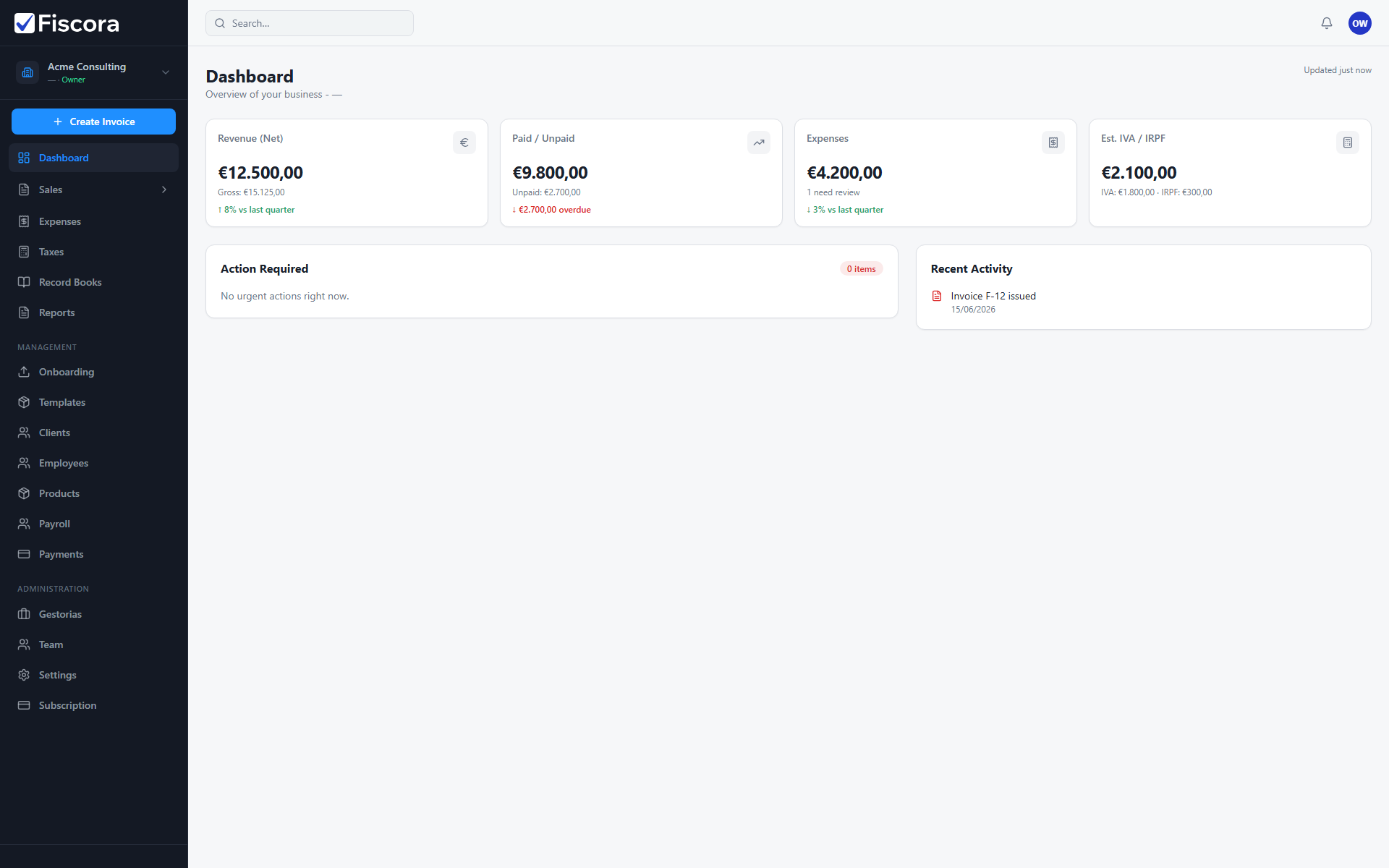
Dashboard showing summary cards, required actions, and recent activity.

What each area tells you

  1. The summary cards show net income, collected versus pending amounts, expenses, and estimated tax totals.
  2. The Required actions list highlights items that need follow-up, such as unsent invoices or expenses that still need review.
  3. For unsent invoices, see how to send an invoice. For expenses awaiting review, see how to confirm an expense.
  4. The Recent activity panel confirms what happened last, for example when an invoice was issued or marked as paid.

Best way to use it

  1. Start each day on the dashboard to see if anything is blocked or overdue.
  2. Open the required action that matters most first so you work from the most urgent item.
  3. Use recent activity to confirm that the actions taken by you or your team were recorded correctly.

Was this article helpful?

Still need help?

Share the context and we'll reply with practical guidance from support.

Open request

You may also find these useful

Getting started

Getting started with your workspace

Learn the first screens to check when you log in and where to find invoicing, clients, expenses, and settings.

Read article
Getting started

How to set up your workspace on day one

Complete the essential setup steps so your company profile, clients, and invoice defaults are ready before you bill.

Read article
Getting started

Where to find key actions in the workspace

Use the sidebar navigation to reach invoices, expenses, clients, recurring billing, templates, and organization settings.

Read article