
Your workspace is the main area where you manage day-to-day operations in Fiscora. The left navigation gives you access to invoices, expenses, clients, products, reports, and organization settings.
Start with the dashboard, then move into the sections that match the task you want to complete.
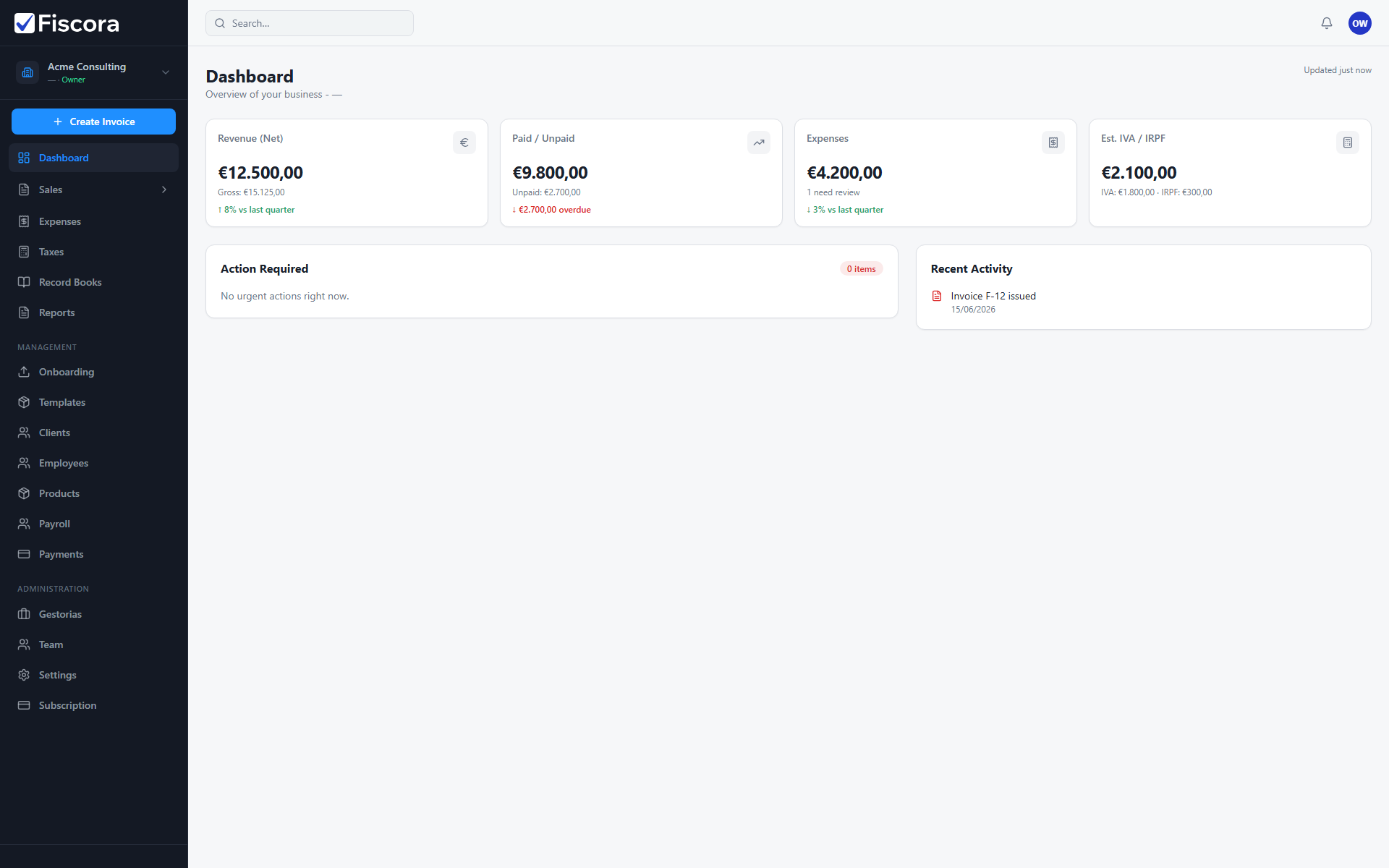
What to open first
- Open Dashboard to review your totals, recent activity, and any required actions.
- Open Invoices when you need to create, send, or follow up on customer invoices.
- Open Clients before invoicing a new customer or when you need to update contact details.
- Open Expenses to upload receipts, review AI suggestions, and confirm supplier bills.
- Open Settings to update your company profile and invoicing defaults.
Recommended first-day checklist
- Review the dashboard cards so you know what the workspace is highlighting.
- Open clients and confirm that your main customer records are complete — see how to create a client if you need to add one.
- Open invoices and confirm which documents are drafts, issued, or paid.
- Open settings and verify your legal company details before sending new invoices — see how to update company legal details.