
Getting started

Where to find key actions in the workspace

Use the sidebar navigation to reach invoices, expenses, clients, recurring billing, templates, and organization settings.

1 min readUpdated 10.07.2026

Most day-to-day tasks start from the left sidebar. The navigation groups related actions so you can move from billing to expenses and settings without hunting through menus.
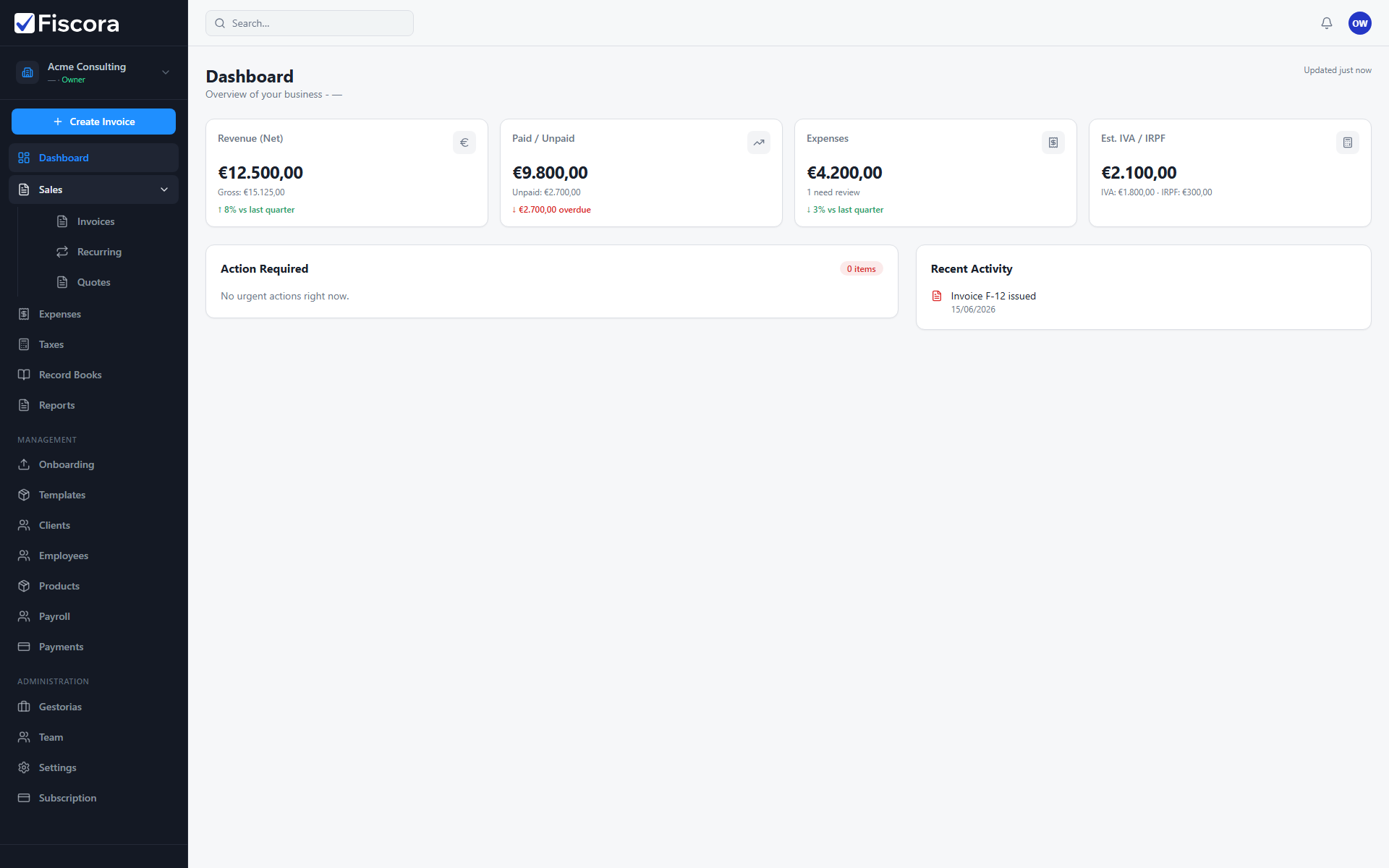
Workspace sidebar with Sales expanded and Management sections visible.

Sales and billing

  1. Expand Sales to open Invoices, Recurring, or Quotes.
  2. Use Create invoice from the invoices list when you need a new customer bill.
  3. Open Recurring when you bill the same client on a schedule.

Expenses and reporting

  1. Open Expenses to upload receipts, review AI results, or confirm supplier bills.
  2. Use Tax reports, Libros registro, or Reports when you need accounting or tax summaries.

Clients, products, and templates

  1. Open Clients under Management to create or edit customer records.
  2. Open Products when you reuse catalog items on invoice lines.
  3. Open Templates to customize invoice PDF branding such as logo and accent color.

Administration

  1. Open Gestorias to connect with your accounting firm.
  2. Open Team to manage workspace members if you are an admin or owner.
  3. Open Settings for company profile, invoice defaults, and preferences.
  4. Open Billing to review your Fiscora subscription plan.

Was this article helpful?

Still need help?

Share the context and we'll reply with practical guidance from support.

Open request

You may also find these useful

Getting started

Getting started with your workspace

Learn the first screens to check when you log in and where to find invoicing, clients, expenses, and settings.

Read article
Getting started

How to use the dashboard

Understand the summary cards, required actions, and recent activity so you can spot what needs attention quickly.

Read article
Getting started

How to set up your workspace on day one

Complete the essential setup steps so your company profile, clients, and invoice defaults are ready before you bill.

Read article