
Invoice templates control the visual layout of PDF invoices. Use them with branding and contact details and invoice defaults.
Open templates
- Select Templates under Management in the left navigation.
- Review existing templates and identify which one should be the default.
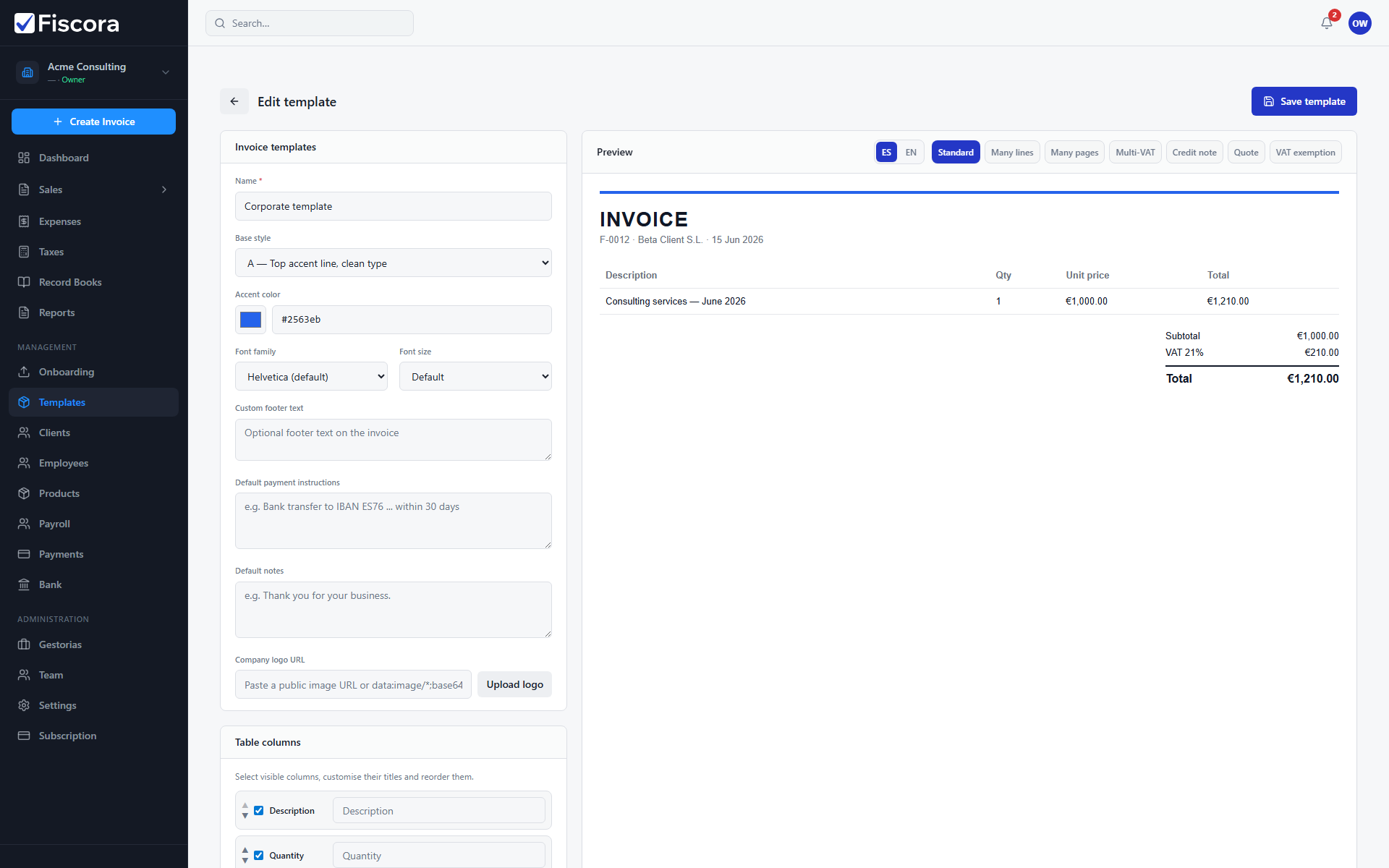
Create or edit a template
- Select New template or open an existing template card.
- Choose a base style and adjust accent color, logo, columns, and visible sections.
- Add default footer text or payment instructions if they should appear on every invoice.
- Save the template when the preview matches what you want customers to receive.
Use templates on invoices
- Set a template as default so new invoices pick it up automatically.
- You can still choose a different template on an individual invoice before issuing.
- Combine templates with organization invoice defaults for series and numbering — see how to create an invoice template.