
Recurring invoices are useful for retainers, subscriptions, or any client you bill on a fixed schedule. See how to create a recurring invoice to start, and how to edit a recurring invoice to update schedules.
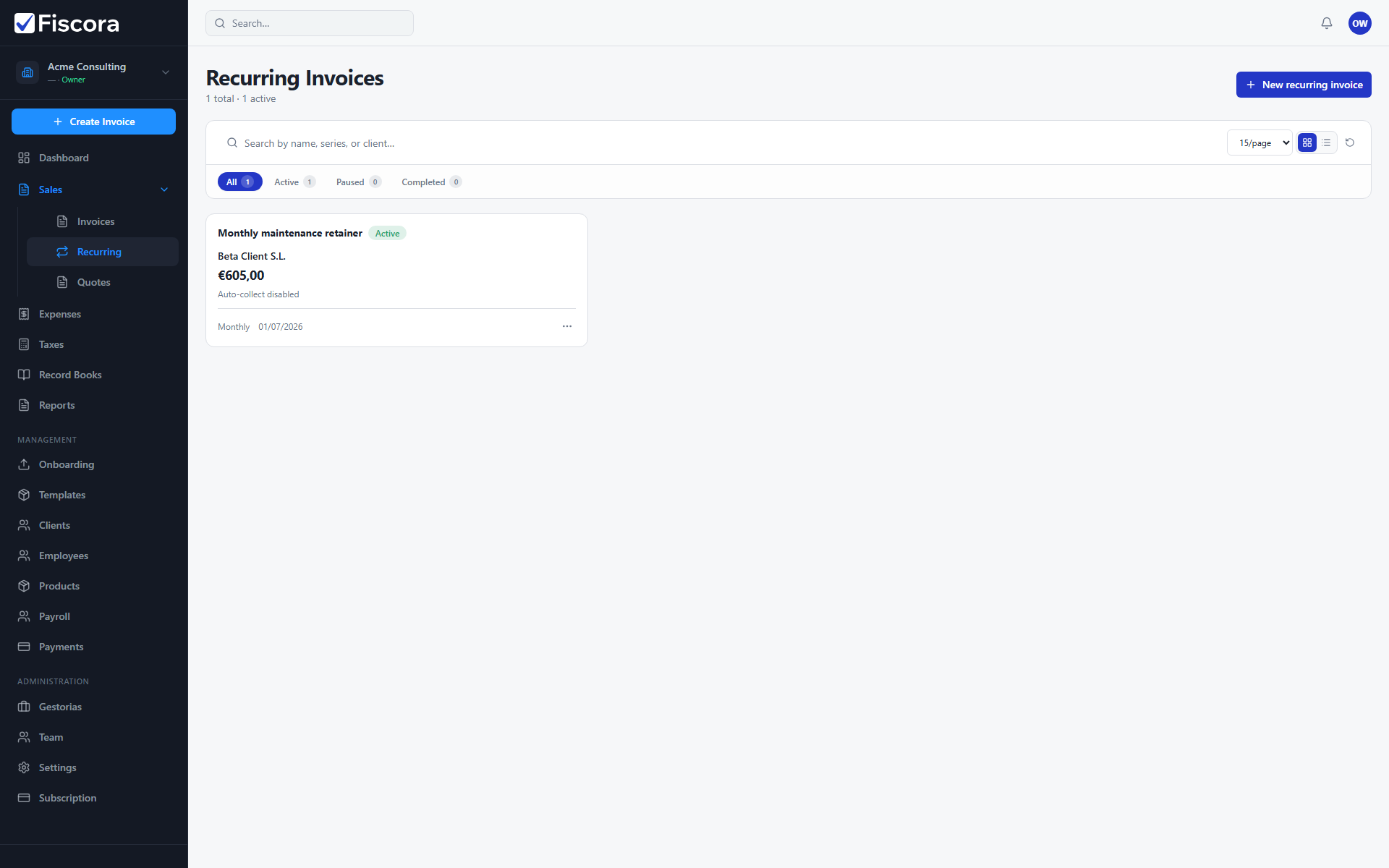
Open recurring invoices
- Expand Sales in the left navigation.
- Select Recurring to open the recurring invoices list.
- Use search to find a schedule by name, series, or client.
Create a recurring schedule
- Select New recurring invoice.
- Enter a name, choose the client, and add line items like a normal invoice.
- Set frequency, start date, and optional end date.
- Choose whether Fiscora should auto-issue or auto-send emails after each run.
- Save the schedule when the setup matches your billing agreement.
Manage existing schedules
- Open a recurring invoice to edit client, lines, or automation settings.
- Use Pause to stop future runs temporarily without deleting the schedule.
- Use Resume when billing should continue.
- Delete a schedule you no longer need from the row actions menu.
What to verify
- Check the Next run date so you know when the next invoice will be created.
- Confirm the client email is present if you rely on auto-send.
- Review issued invoices after each run to confirm amounts and tax settings stayed correct — see how to issue an invoice.