
Recurring invoices automate repeat billing for retainers, subscriptions, or other predictable customer charges. See how to manage recurring invoices and how to edit a recurring invoice.
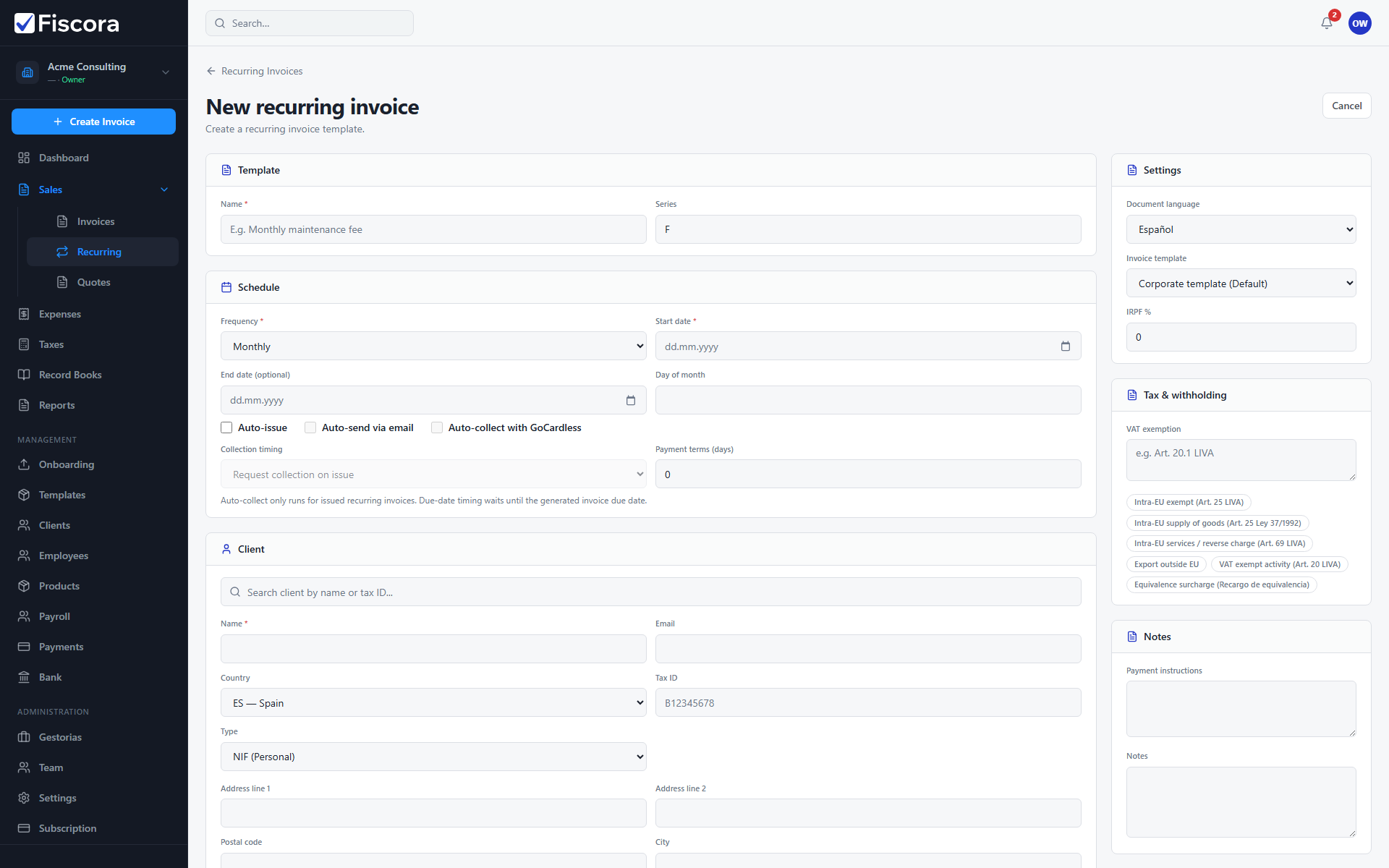
Start a new template
- Select Sales → Recurring.
- Choose New recurring invoice.
Configure schedule and client
- Enter a template name, frequency, start date, and day-of-month when applicable.
- Select or enter the client snapshot used for each generated invoice.
- Add line items with descriptions, quantities, prices, and VAT rates.
Automation and save
- Enable Auto-issue or Auto-send when you want invoices created without manual steps.
- Review payment terms and collection settings if you use GoCardless.
- Select Save to activate the recurring template.