
Invoices

How to share invoices with your accountant

Give your connected gestoria invoice permissions so they can review, issue, or track payments without receiving PDFs by email.

1 min readUpdated 10.07.2026

Fiscora shares invoices with your accountant through gestoría permissions — see how to work with your accounting firm and how to share documents with your firm.
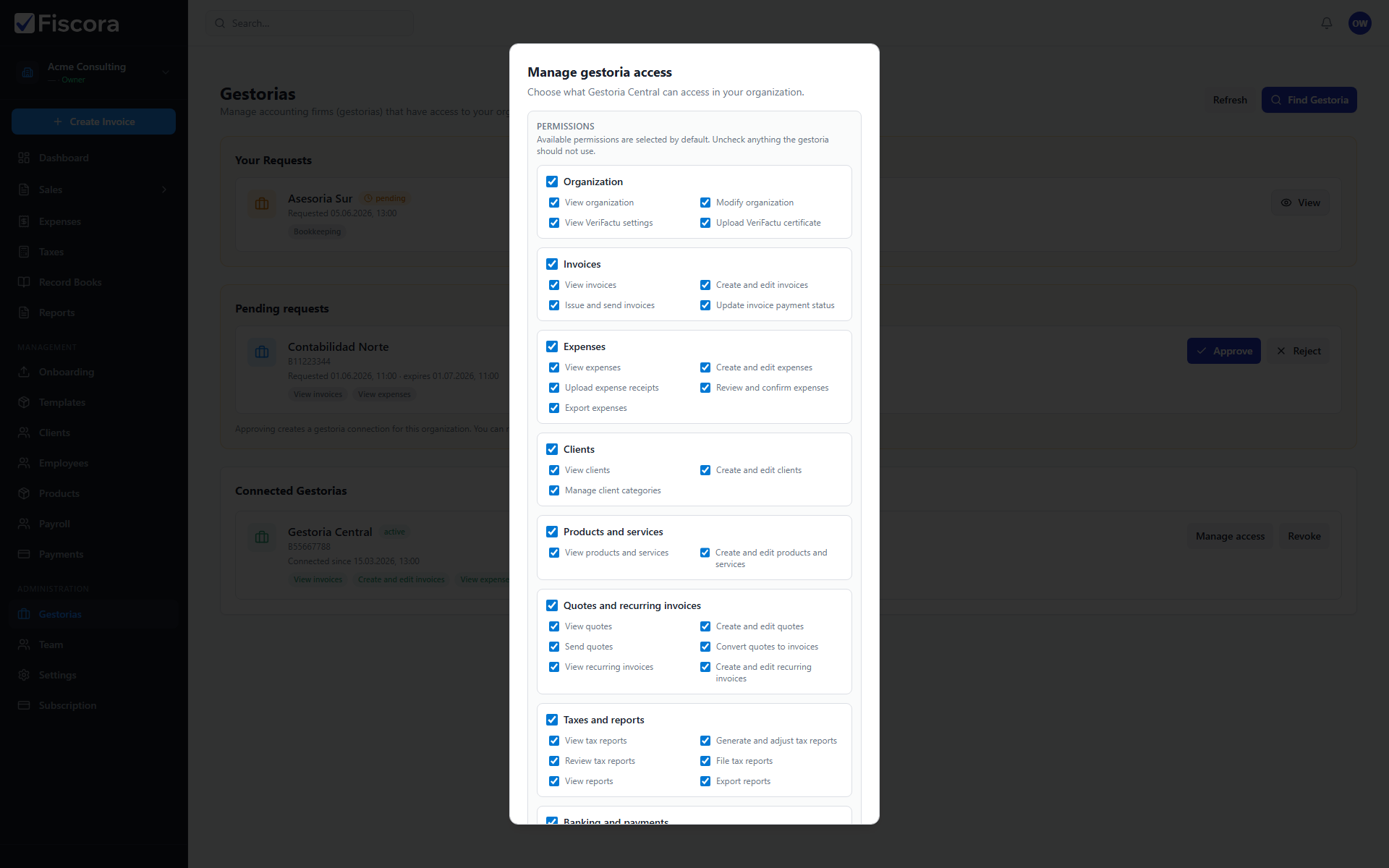
Manage gestoria access modal with invoice permission groups visible.

Connect your gestoria

  1. Select Gestorias in the left navigation.
  2. Request access from the directory or approve an invitation from your accountant.
  3. Wait until the connection shows as active.

Enable invoice permissions

  1. Find the connected firm and select Manage access.
  2. Under the Invoices group, enable permissions that match your workflow.
  3. Typical read-only access uses View invoices.
  4. Grant write, issue, or payment permissions only when your firm should act on invoices directly.
  5. Select Save access to apply the scope.

What your accountant sees

  1. Issued and draft invoices in the modules you enabled appear in the firm workspace.
  2. Keep invoice statuses current so your accountant can follow collections and compliance.
  3. Revoke or narrow permissions if the firm should stop editing invoices but keep read access.

Was this article helpful?

Still need help?

Share the context and we'll reply with practical guidance from support.

Open request

You may also find these useful

Invoices

How to view and manage invoices

Use the invoices list to search, filter by status, and open the invoice you need to review or follow up.

Read article
Invoices

How to create and edit an invoice

Start a new invoice from the invoices area, complete the client and line items, and save or issue it when you are ready.

Read article
Invoices

How to start a new invoice

Open the invoice editor, choose a client, add lines, and save a draft before issuing.

Read article