
Payroll

How to complete an employee profile

Walk through identity, tax, bank, payroll defaults, and contract steps in the employee onboarding wizard.

1 min readUpdated 10.07.2026

After creating an employee with the quick wizard, the profile page guides you through every payroll prerequisite. See how to onboard a new employee and how to run payroll.
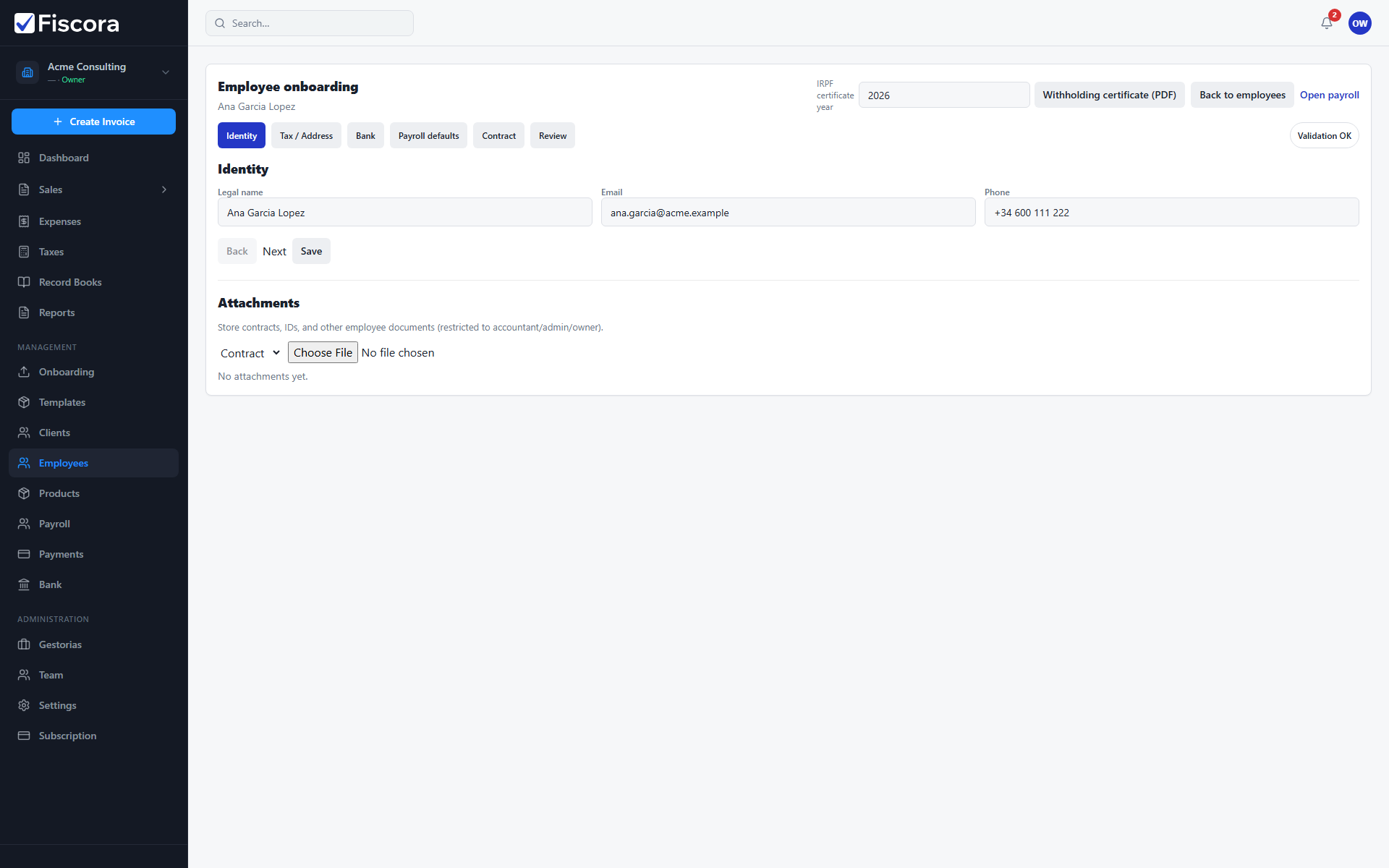
Employee onboarding profile with Identity step and legal name field.

Open the profile

  1. Go to Employees and open the employee record.
  2. Use the step tabs to move between Identity, Tax, Bank, Payroll defaults, Contract, and Review.

Complete each step

  1. Fill identity and tax address details, including Modelo 145 fields when applicable.
  2. Add IBAN and payroll defaults such as gross salary and IRPF rate.
  3. Record contract dates, type, and weekly hours.

Finish onboarding

  1. Open the Review step and resolve validation warnings.
  2. Mark onboarding complete when all required fields pass validation.
  3. Use Open payroll to add the employee to a payroll run.

Was this article helpful?

Still need help?

Share the context and we'll reply with practical guidance from support.

Open request

You may also find these useful

Payroll

How to manage employees

Add and maintain employee records used for payroll, IRPF withholding, and bank payouts.

Read article
Payroll

How to run payroll

Create a payroll run, calculate payslips, approve results, and export SEPA or summary files.

Read article
Payroll

How to onboard a new employee

Use the employee onboarding wizard to capture identity details and continue payroll setup.

Read article