
Taxes & compliance

How to upload a Veri*Factu certificate

Add or replace the qualified certificate used for live Veri*Factu submissions to AEAT.

1 min readUpdated 10.07.2026

Live Veri*Factu mode requires a valid qualified certificate stored for your organization. If you do not have one yet, start with how to get a Veri*Factu certificate. See how to configure Veri*Factu and how to issue an invoice.
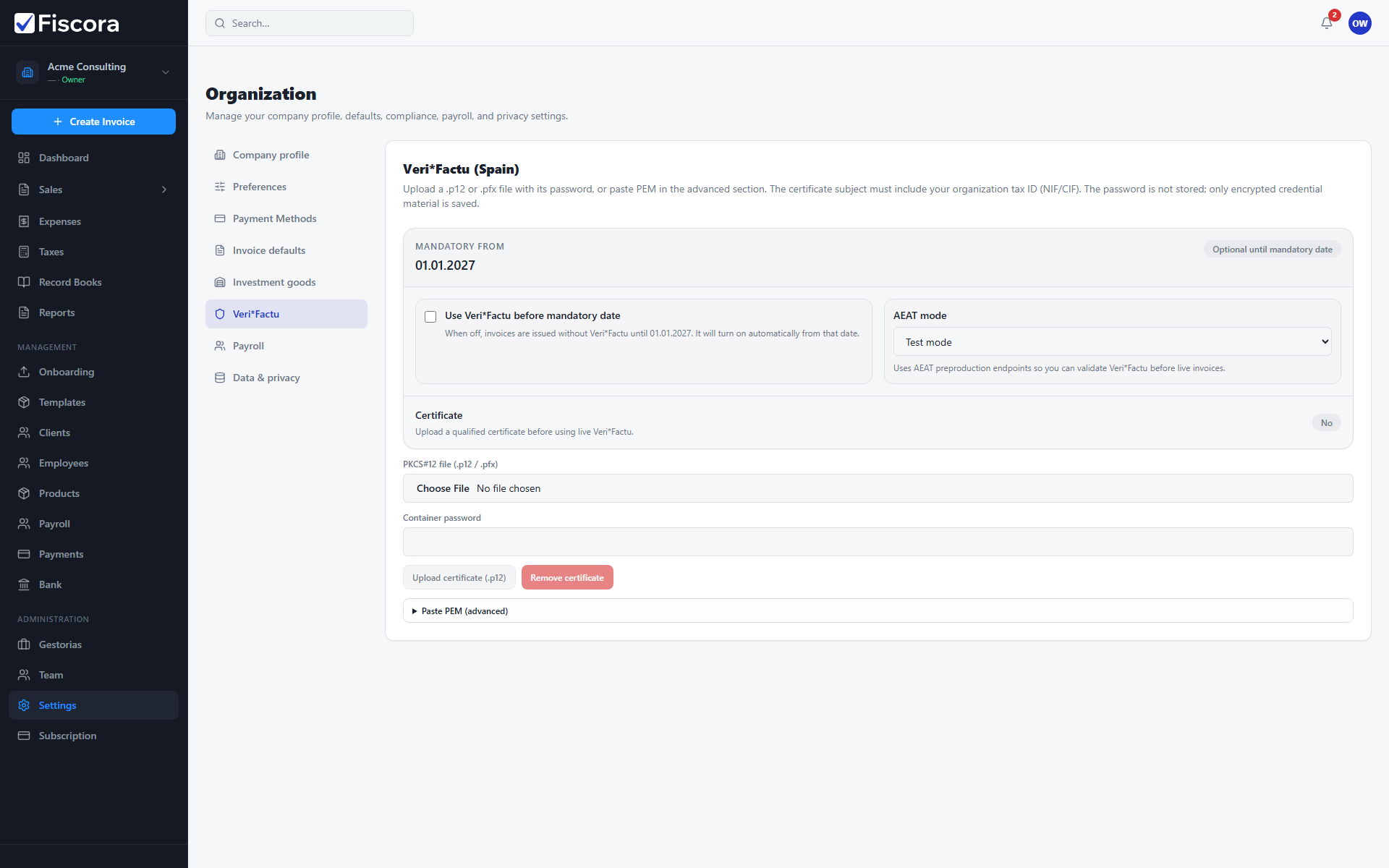
Veri*Factu settings with certificate upload section visible.

Upload the certificate

  1. Open SettingsVeri*Factu.
  2. Review AEAT mode and mandatory date settings.
  3. Upload your .p12 certificate and enter the password.
  4. Save and confirm the certificate status shows as valid.

Was this article helpful?

Still need help?

Share the context and we'll reply with practical guidance from support.

Open request

You may also find these useful

Taxes & compliance

How to use tax reports

Generate Spanish tax models such as 303 and 130, review draft figures, and track filing status.

Read article
Taxes & compliance

How to review Model 303 (quarterly VAT)

Open a generated Model 303 report, review casillas, adjust values if needed, and mark it reviewed before filing.

Read article
Taxes & compliance

How to review Model 130 (IRPF advance payment)

Open a generated Model 130 report, validate revenue and payment casillas, and mark it reviewed before filing.

Read article