
Bank reconciliation links real account movements to invoices, expenses, or payroll payouts. See how to view bank connections and how to track payments and allocations.
Set up bank data
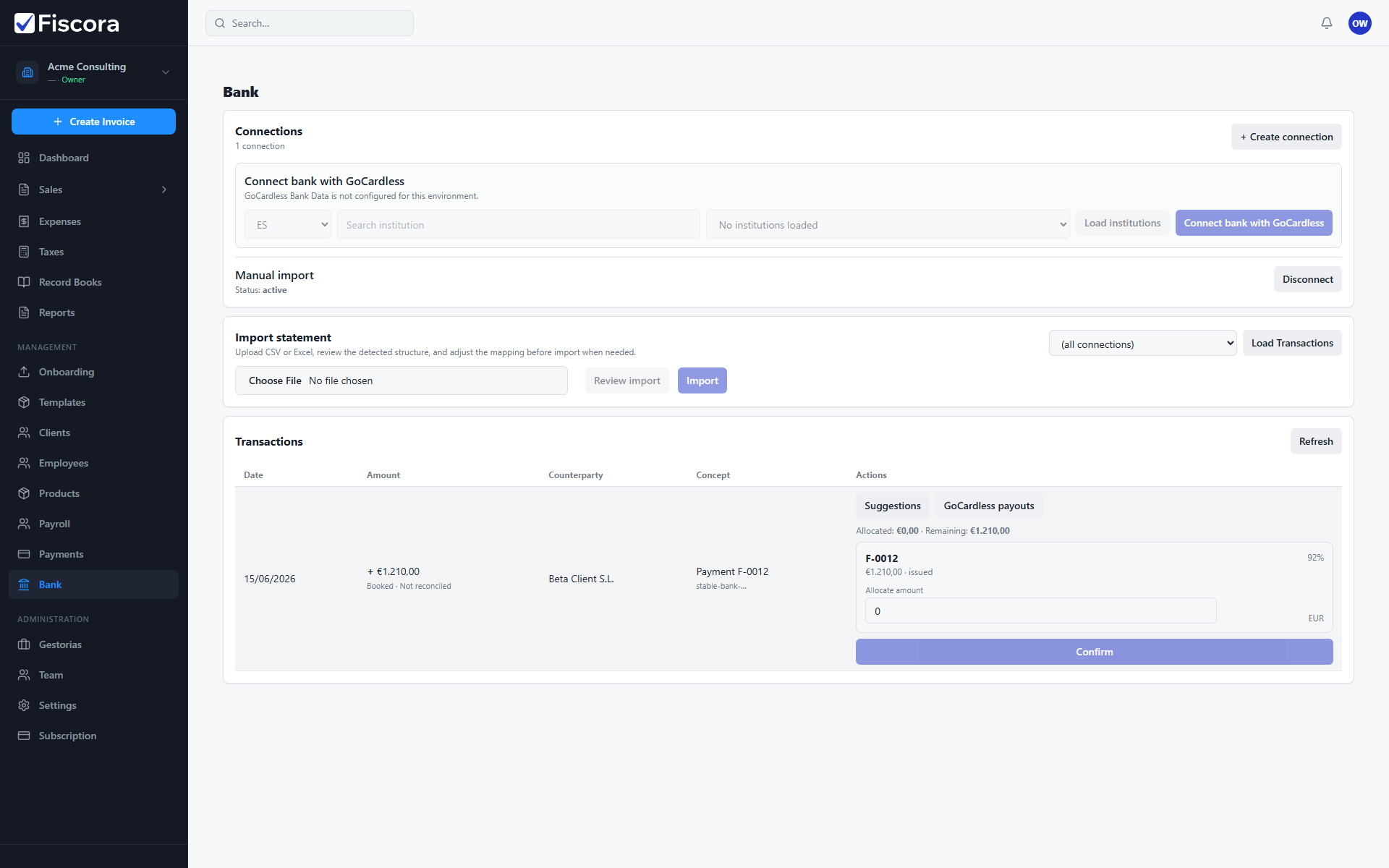
- Open Bank from the left navigation.
- Create a manual import connection or connect a bank feed when available.
- Import a statement CSV or sync connected accounts.
Review transactions
- Open the Transactions section and refresh the list.
- Check booking date, amount, counterparty, and reconciliation status.
- Unreconciled rows show Not reconciled until you confirm a match.
Match and confirm
- Select Suggestions on a credit movement to see invoice matches.
- Use expense or payroll suggestion buttons on debit movements when relevant.
- Enter an allocation amount if needed, then select Confirm.
- Use Undo if you matched the wrong record.