
The payments ledger tracks money received outside automatic GoCardless collection. See how to record a manual payment and how to mark an invoice as paid.
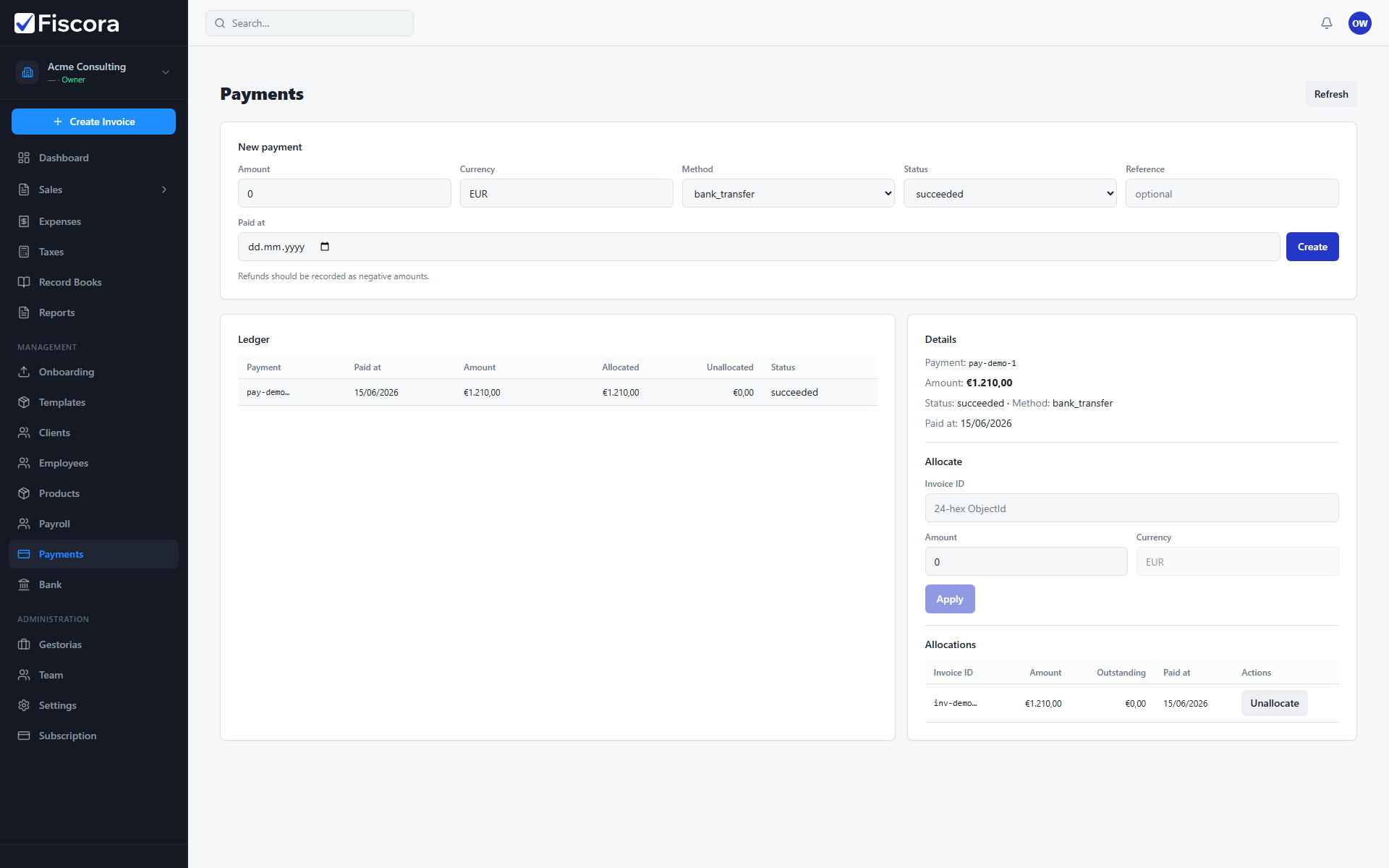
Open payments
- Select Payments in the left navigation.
- Review the ledger for recent receipts and their allocated amounts.
Record a payment
- Use New payment to enter amount, method, status, and reference.
- Set the paid date when the money actually arrived.
- Select Create to add the payment to the ledger.
Allocate to invoices
- Click a payment row to open its details panel.
- Review existing Allocations linked to invoice numbers.
- Add a new allocation with invoice ID and amount when part of the receipt is unallocated.
- Remove an allocation if you linked the wrong invoice.