
Bank & payments

How to set up online payments

Configure bank transfer details and connect GoCardless so customers can pay issued invoices online.

1 min readUpdated 10.07.2026

Payment methods define how customers pay your invoices. See how to configure bank transfer details, how to request a GoCardless payment, and how to track payments and allocations.
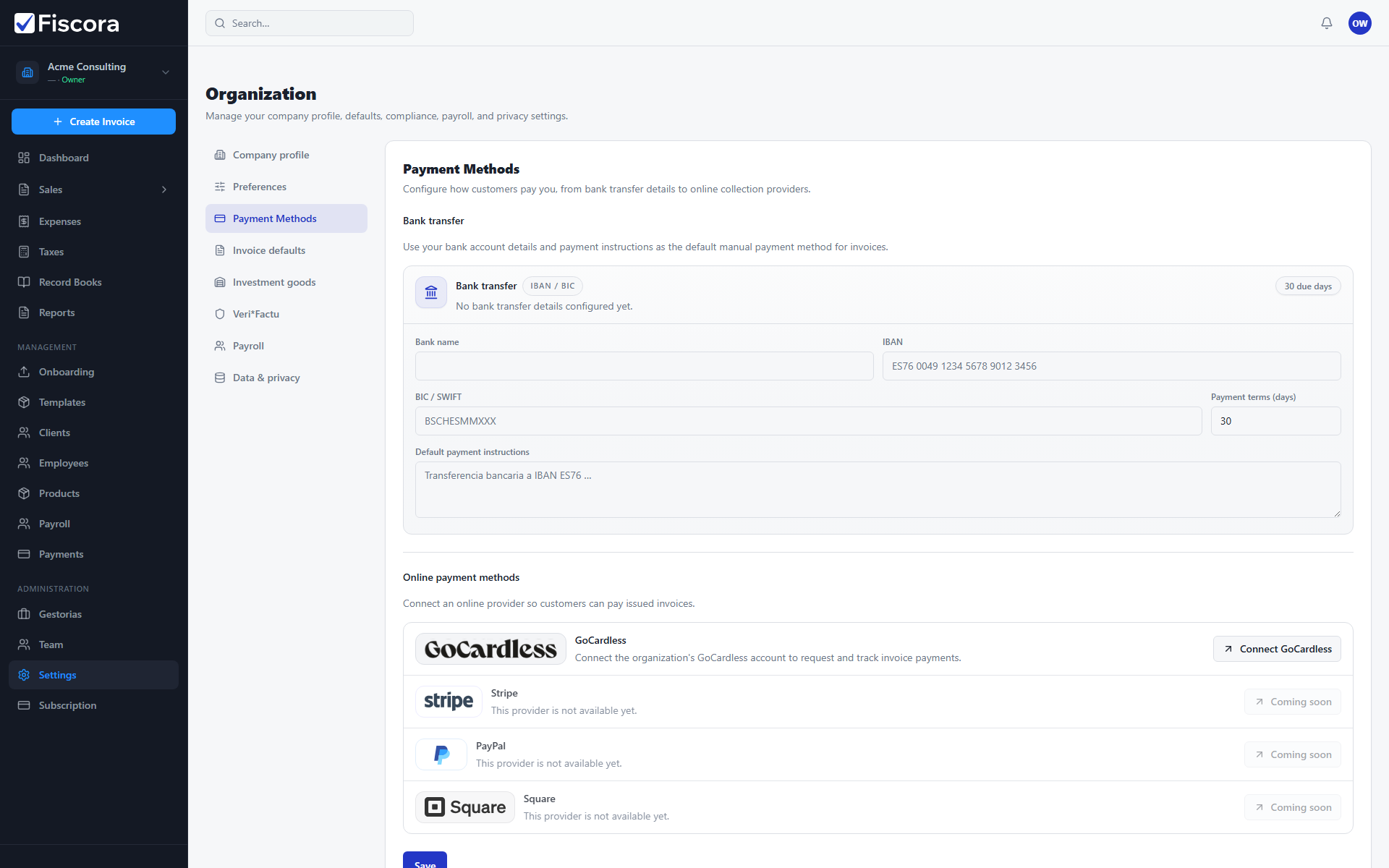
Payment Methods settings with bank transfer and Connect GoCardless options.

Open payment methods

  1. Select Settings in the left navigation.
  2. Open the Payment Methods section.
  3. Review bank transfer and online provider options.

Configure bank transfer

  1. Enter bank name, IBAN, and BIC details your customers should use.
  2. Set payment terms in days so invoices show the correct due date.
  3. Save the section so new invoices inherit the payment instructions.

Connect GoCardless

  1. Select Connect GoCardless in the online payments area.
  2. Complete the provider authorization flow in the window that opens.
  3. Return to Fiscora and confirm the connection status shows connected.
  4. Use invoice payment actions after a customer mandate is active.

Was this article helpful?

Still need help?

Share the context and we'll reply with practical guidance from support.

Open request

You may also find these useful

Bank & payments

How to configure bank transfer details

Set IBAN, BIC, and payment terms shown on invoices and used in default payment instructions.

Read article
Bank & payments

How to reconcile bank transactions

Import or sync bank movements and match them to invoices, expenses, or payroll payments.

Read article
Bank & payments

How to record a manual payment

Log a bank transfer, card, or cash payment received outside automated collection flows.

Read article