
Manual payments track money received outside GoCardless or other integrations. See how to track payments and allocations and how to mark an invoice as paid.
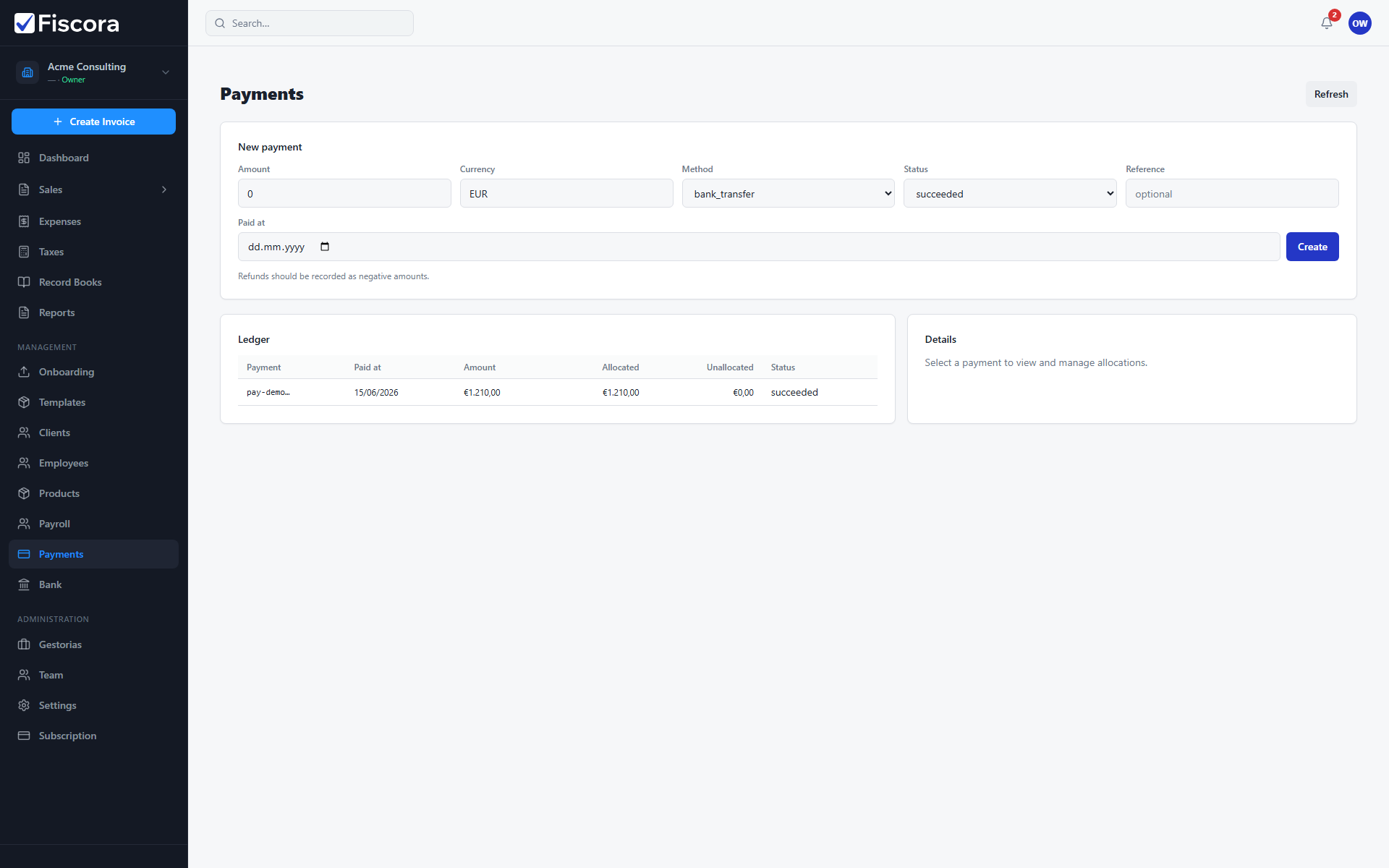
Record the payment
- Open Payments from the sidebar.
- Enter amount, currency, method, status, and paid date.
- Add an optional reference such as a bank transfer concept.
- Select Create to add the payment to the ledger.
Allocate to invoices
- Select the payment in the ledger.
- Add allocations to issued invoices in the right panel.
- Save allocations so invoice balances stay accurate.