
Send a quote when the draft is ready and the customer should approve pricing before you convert it to an invoice. See how to create and manage quotes to build the draft first.
Before you send
- Open the draft quote and confirm client, lines, and valid-until date — see how to edit a quote if you need changes.
- Make sure the customer has an email address on their record — update the client if needed.
- Generate or refresh the PDF if you changed the quote after the last render.
Send from the quotes list
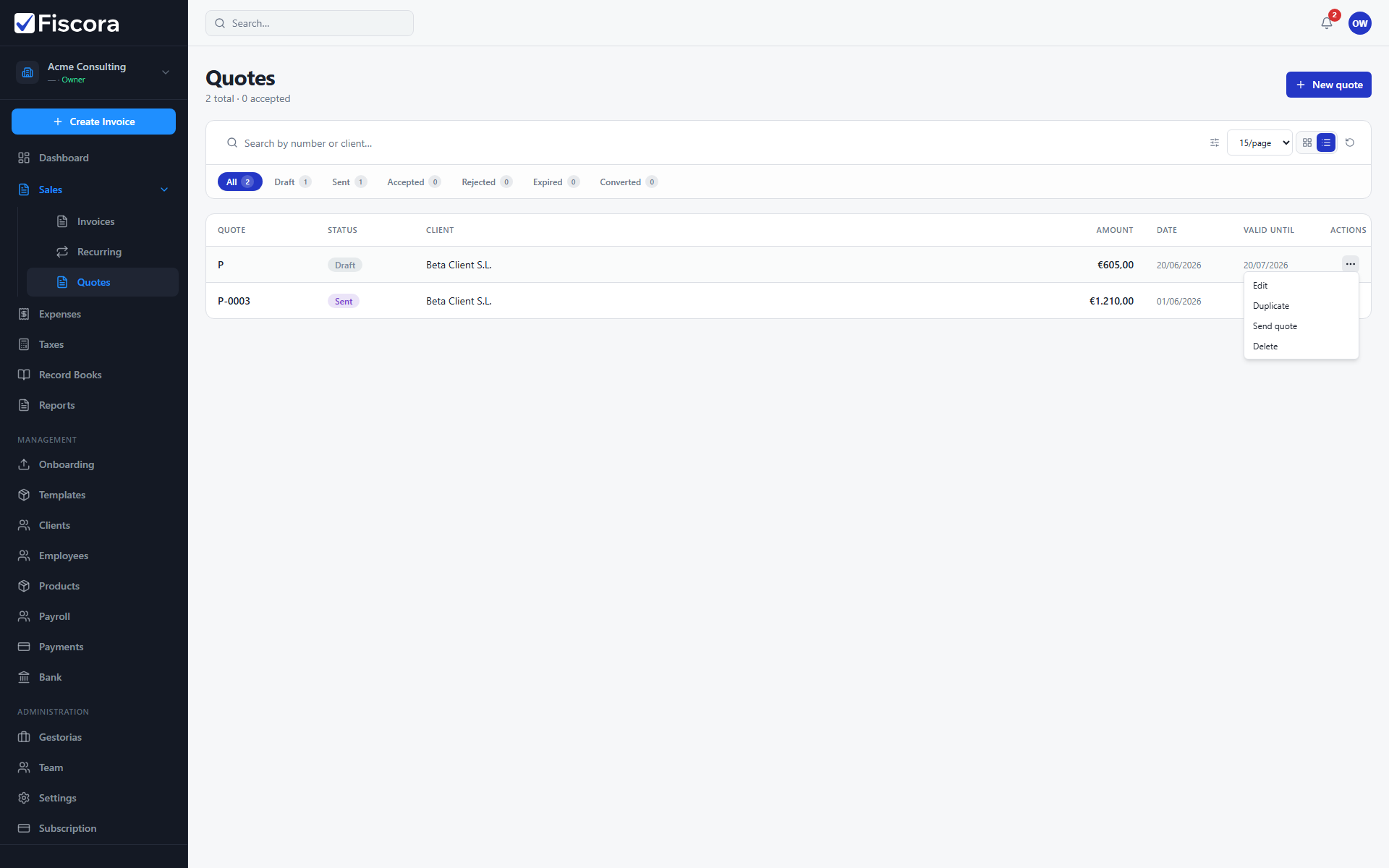
- Open Sales and then Quotes.
- Find the draft quote.
- Open the row actions menu.
- Select Send quote and confirm when prompted.