
Voiding removes a draft invoice that should not be issued. See how to start a new invoice to recreate billing, or how to create a credit note for issued documents.
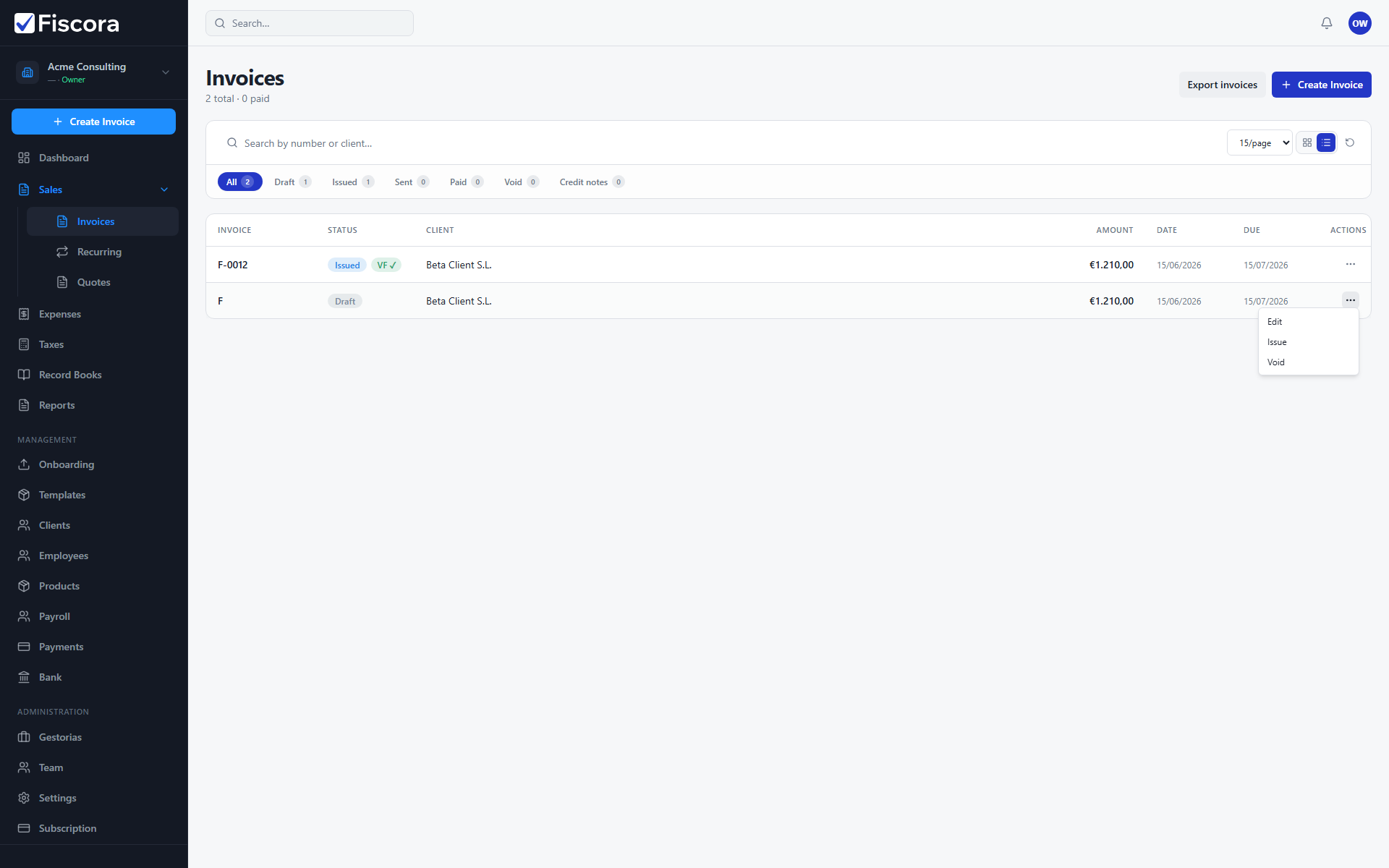
Find the draft
- Open Sales and then Invoices.
- Switch to the Draft tab to see invoices not yet issued.
- Locate the invoice you want to cancel.
Void the draft
- Open the row actions menu (three dots) for that invoice.
- Select Void.
- Confirm when prompted — voiding a draft is permanent.
After voiding
- The invoice moves to the void status and no longer appears as an active draft.
- If you need to bill the customer later, create a new invoice from scratch or duplicate another record.