
Organization access is controlled through team roles and separate gestoría connections. Review both regularly.
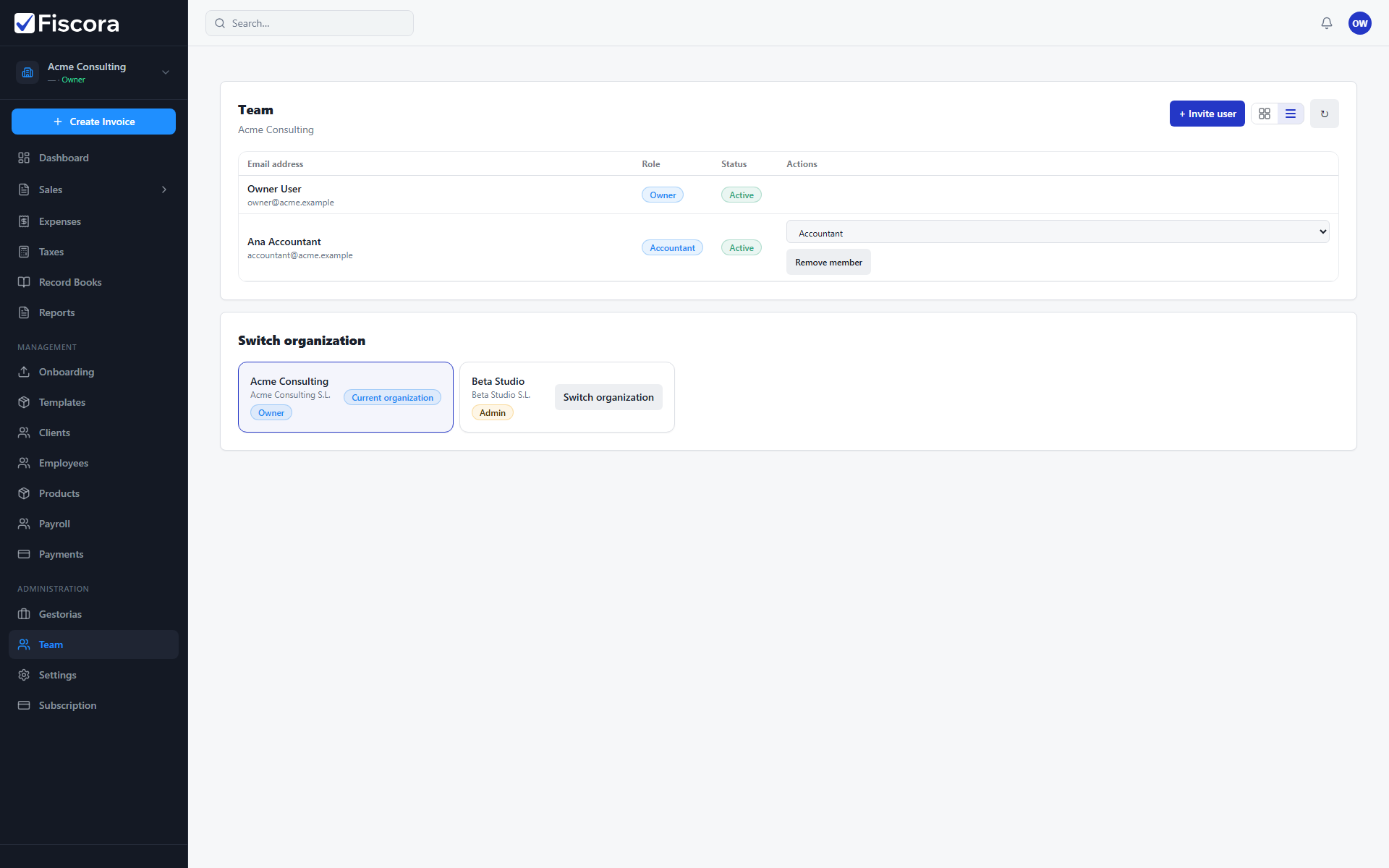
Review team members
- Select Team under Administration in the left navigation.
- Check each member email, role, and status such as active or invited.
- Change a role from the member row when responsibilities shift.
- Remove members who no longer need access to the organization.
Understand roles
- Viewer can review data but cannot edit most records.
- Accountant can work with invoices, expenses, and clients within write permissions.
- Admin can manage team members, settings, and billing.
- Owner has full control, including sensitive organization settings.
Review external access
- Open Gestorias to see connected accounting firms and pending invitations.
- Use Manage access to confirm each firm still has only the modules it needs.
- Revoke firm access when you change advisors or finish a collaboration.
Privacy and data controls
- Open Settings and go to Data & privacy — see how to manage data and privacy settings.
- Review communication consents and export organization data when you need an offline copy.
- Keep admin access limited to people who should manage billing and legal settings.