
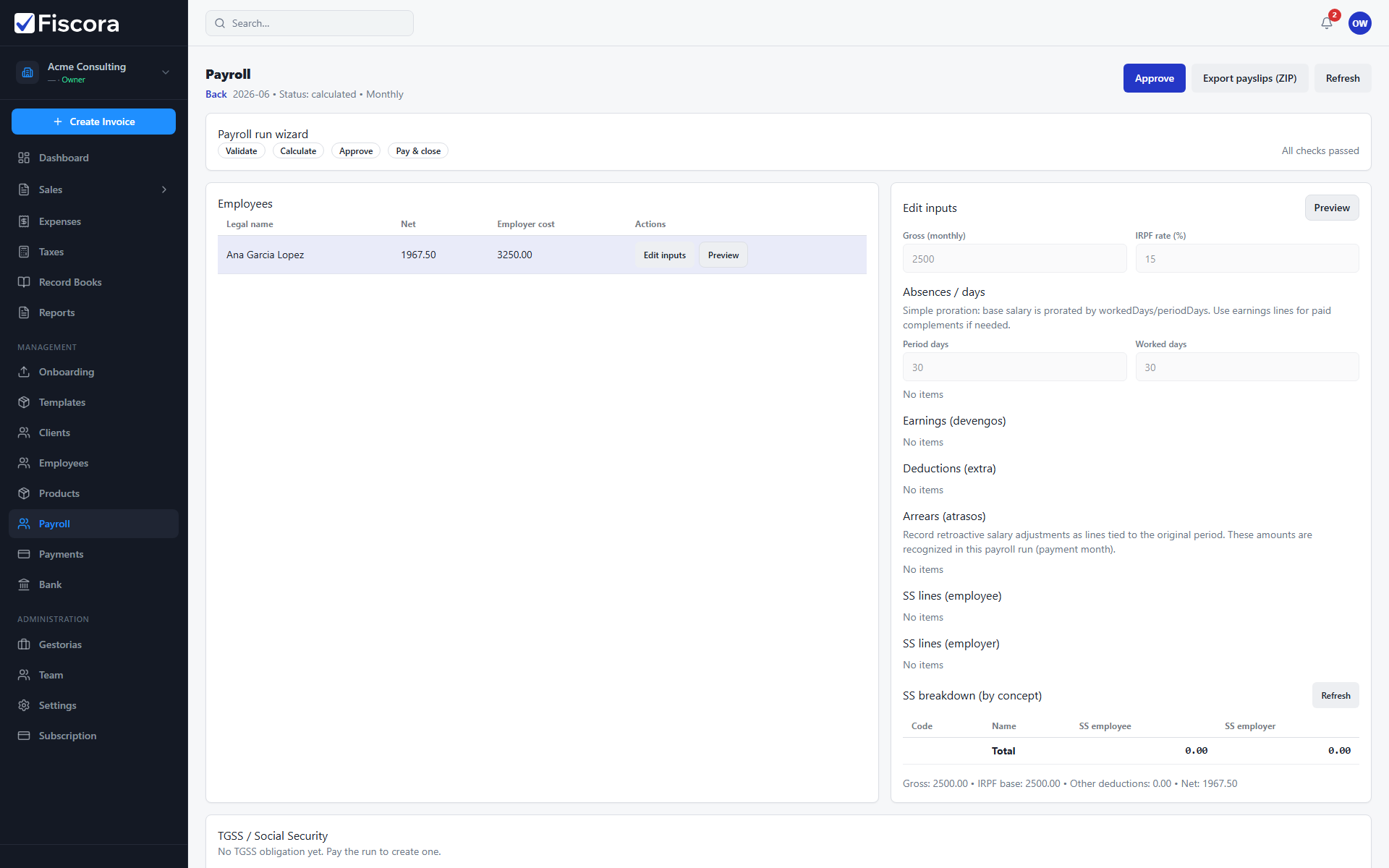
Each payroll run detail page shows employees, calculated amounts, and available actions. See how to run payroll to create runs and how to configure payroll org settings.
Open the run
- Go to Management → Payroll.
- Select Open on the run you want to review.
- Check period, run type, and current status in the header.
Validate calculations
- Review each employee row for gross, deductions, and net pay.
- Open an employee to adjust inputs such as absences or extra earnings.
- Run Calculate while the run is still in draft if amounts changed.
- Fix blocking validation issues shown before approval.
Approve and pay
- Select Approve when calculated totals are correct.
- Use Pay & close to download the SEPA batch when employee IBANs are complete.
- Export payslips or summary CSV files for your records.