
The Help & Support section in the sidebar brings the Help Center into your workspace and lets you contact support without leaving the app. For quick AI answers, try the Fiscora assistant chat first.
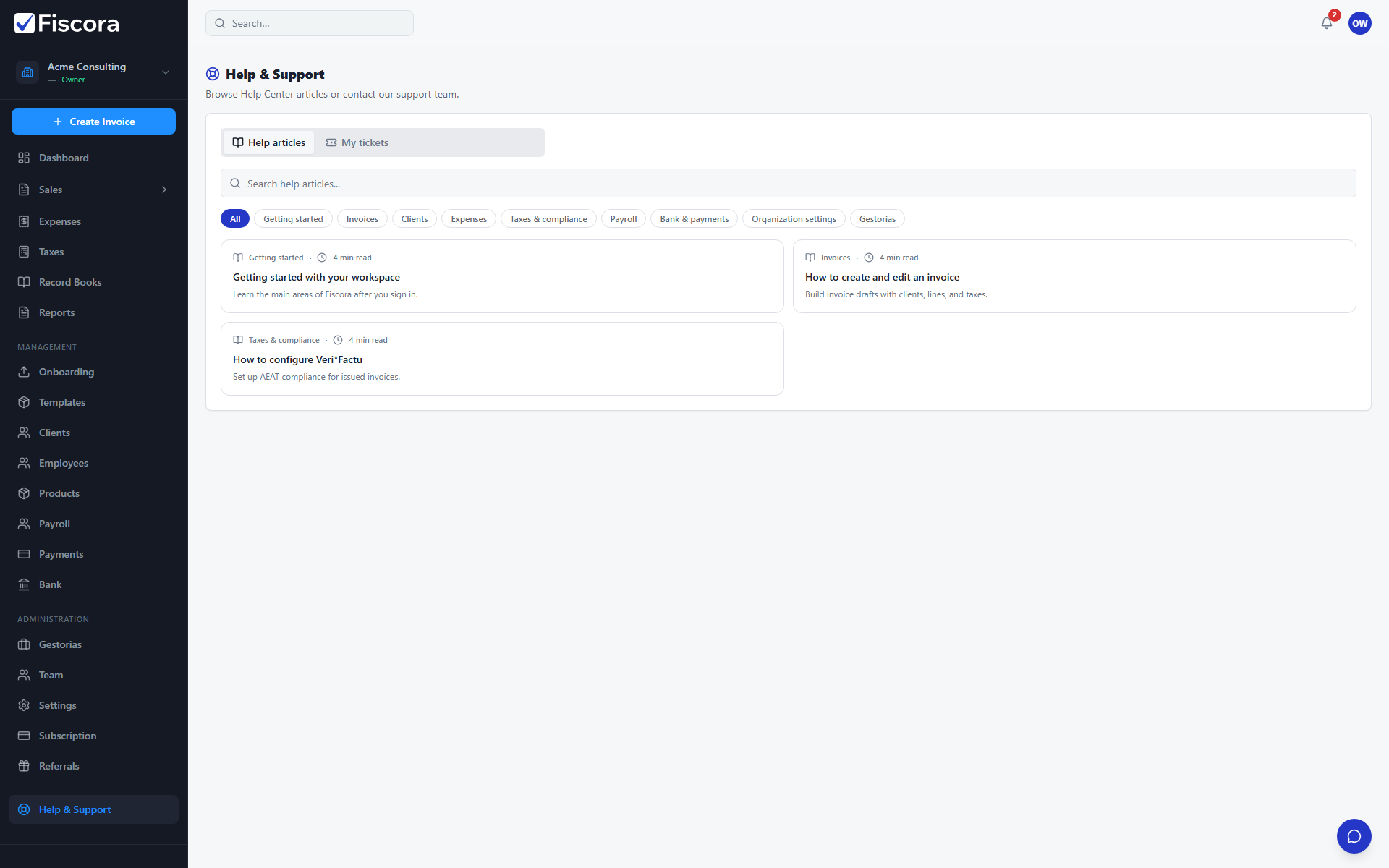
Open Help & Support
- Select Help & Support at the bottom of the left sidebar.
- The page opens on the Help articles tab by default.
Browse and search articles
- Use the search box to find articles by keyword.
- Filter by category chips such as Invoices, Expenses, or Taxes.
- Select an article to read it inside the workspace; links to other articles stay in the same section.
- For public browsing outside the app, see getting started with your workspace and the public Help Center at /help.
Create a support ticket
- Open the My tickets tab.
- Select New ticket.
- Enter a short subject and a detailed message, then submit.
- You are taken to the ticket thread where you can add more replies.
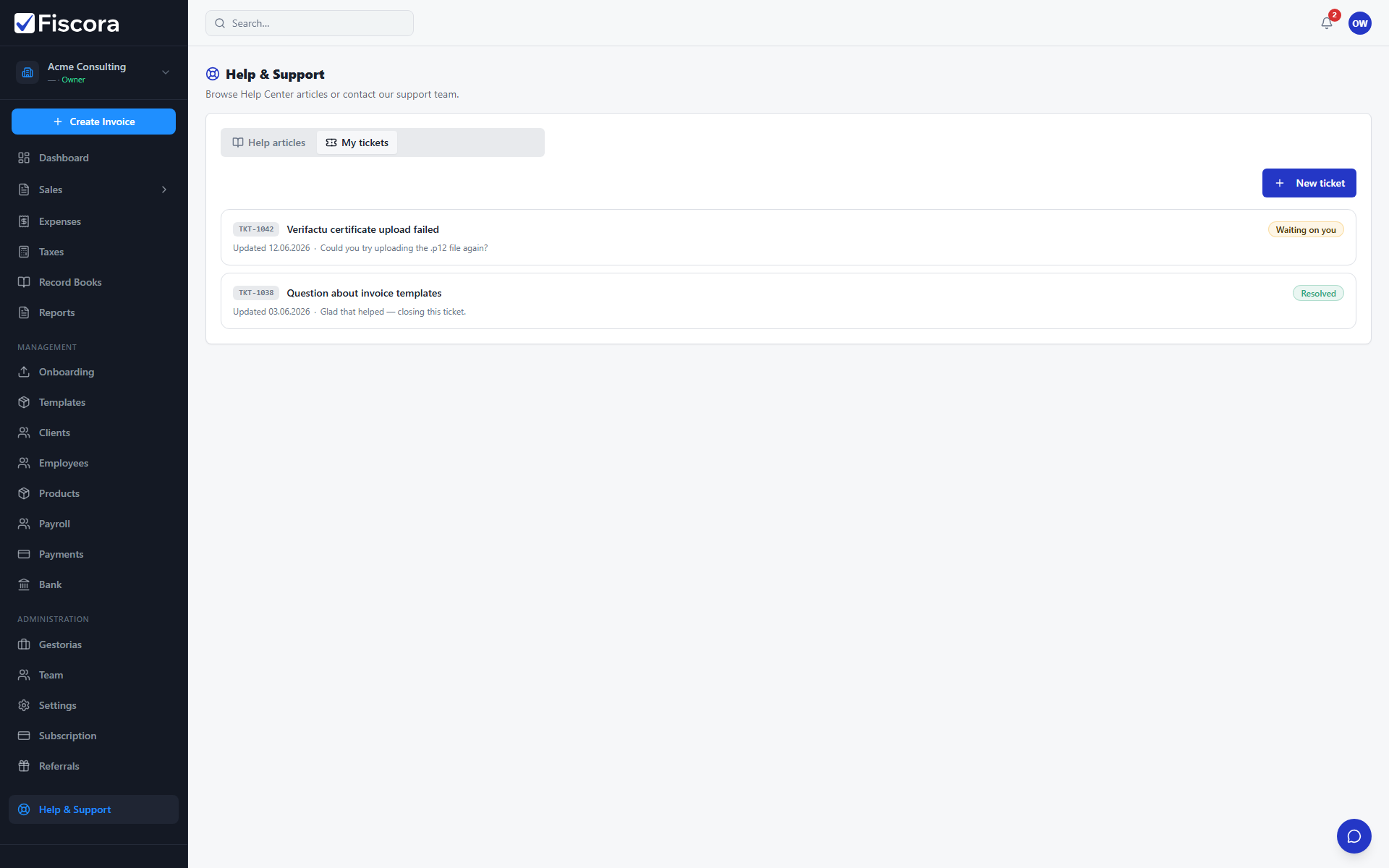
Track replies and notifications
- Return to Help & Support → My tickets to see status badges such as Open, Waiting on you, Resolved, or Closed.
- Open a ticket to read the full conversation and send a reply.
- When support replies, you receive an email notification and an in-app alert — see how to use the notifications center to review alerts.
- If you have not replied after a few days, you receive a one-time reminder email and in-app alert.
- Closed tickets cannot receive new replies; create a new ticket if you need further help.