
Use Mark sent when you delivered an issued invoice manually — for example by post, a client portal, or your own email client. See how to send an invoice for email delivery and how to mark an invoice as paid after payment.
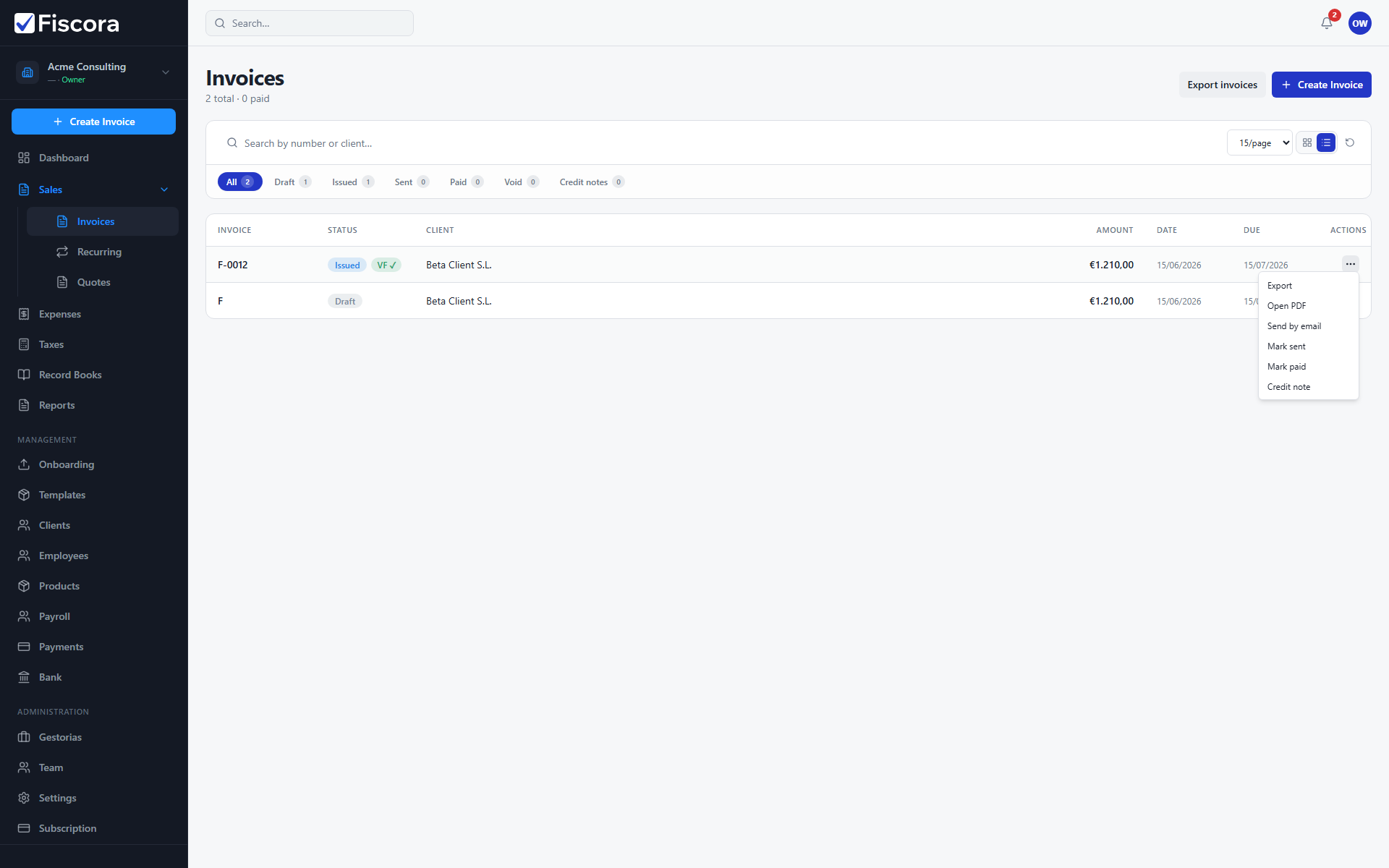
When to use Mark sent
- The invoice must already be issued with a generated PDF.
- Use this when you did not send through Fiscora email but still want the sent status.
- If you already sent successfully through Fiscora, the status may update automatically.
Mark the invoice as sent
- Open Sales and then Invoices.
- Find the issued invoice you delivered externally.
- Open the row actions menu for that invoice.
- Select Mark sent.
After marking sent
- The invoice status changes to Sent in the list and filters.
- You can still mark the invoice paid when payment arrives.
- Use Send by email later if you also want Fiscora to deliver a copy.