
When AI extraction is incomplete, Fiscora keeps the expense in review and shows warnings for missing or uncertain fields. See how to review AI results first, then fill in gaps before confirming.
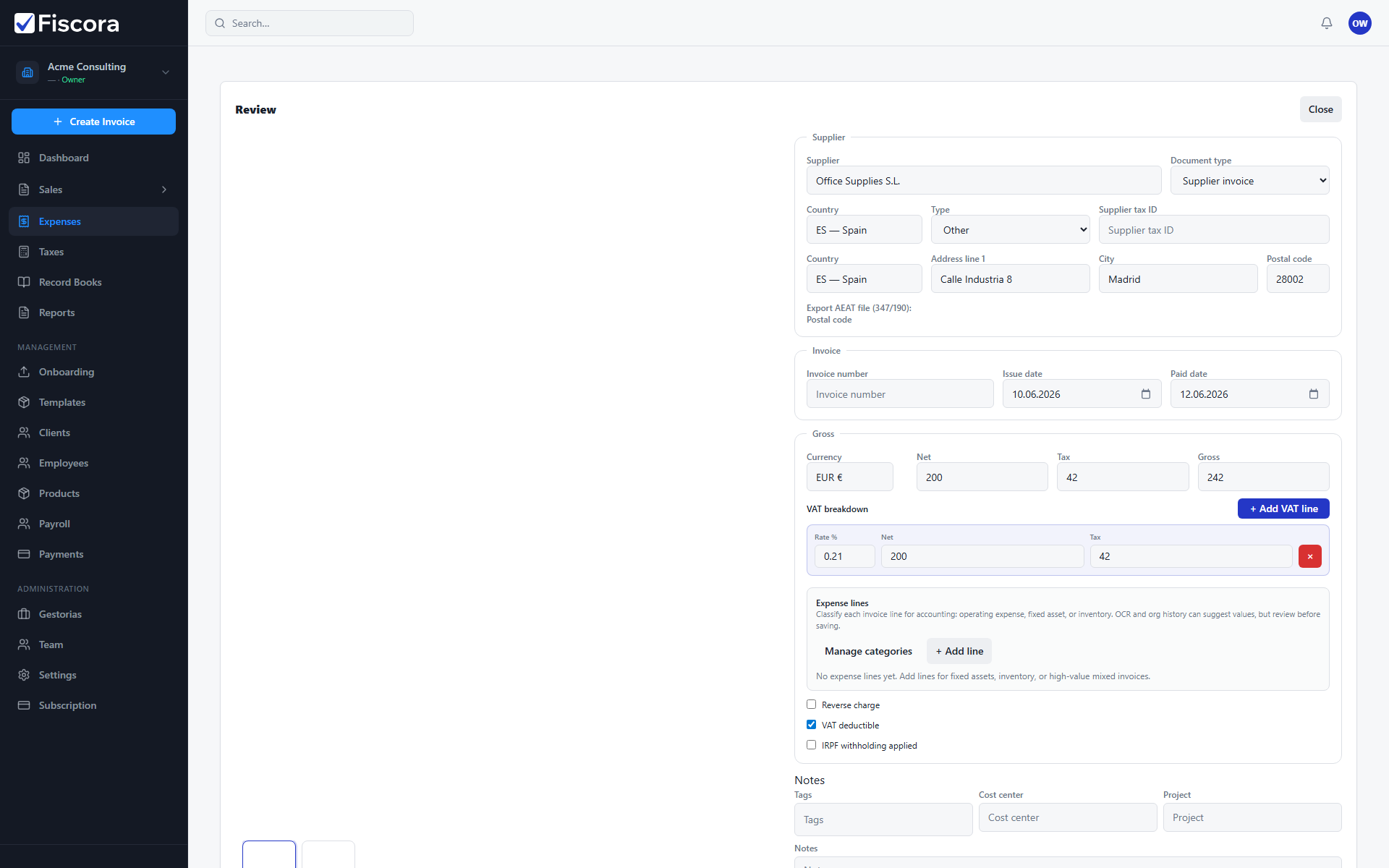
Open the expense in review
- Select Expenses in the left navigation.
- Filter to Needs review — see how to filter expenses by status — or open the expense from a dashboard required action.
- Read any warning banners at the top of the review panel.
Fill in missing fields
- Enter supplier name and tax ID if the AI did not detect them.
- Add the invoice number, issue date, and total amount when they are blank.
- Review VAT breakdown and line items when they are shown but incomplete.
- For non-EUR documents, add an exchange rate if Fiscora asks for EUR conversion before confirmation.
Resolve common blockers
- If line items need classification, review each line before you confirm.
- When totals do not match recognized lines, adjust lines or amounts until they align.
- If the document could not be processed, upload a clearer scan or enter the expense manually.
Save and confirm
- Select Save if you need more time to finish editing.
- Select Confirm once required fields are complete and match the supporting document.